
How To Connect To Tally Gateway Server
Tally software is a widely used accounting solution that simplifies financial management for businesses. When operating Tally on Cloud, one critical component is the Tally Gateway Server, which acts as the bridge between users and the central database. If you’re a user of Tallycloudhub’s reliable Tally on Cloud service, understanding how to connect to the Tally Gateway Server is essential for seamless operations.
In this guide, we’ll walk you through the steps to connect to the Tally Gateway Server efficiently. Whether you are new to Tally or transitioning to cloud-based solutions, this article will provide you with all the information you need.
What is a Tally Gateway Server?
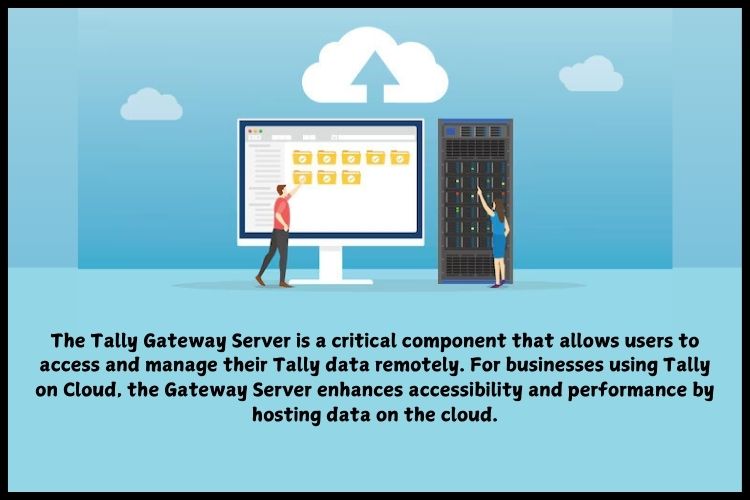
The Tally Gateway Server is a critical component that allows users to access and manage their Tally data remotely. It serves as the intermediary between Tally clients and the central server, ensuring secure and uninterrupted communication. For businesses using Tally on Cloud, the Gateway Server enhances accessibility and performance by hosting data on the cloud.and It helps users with Tally remote access, allowing them to work on their data from anywhere with ease.
Role of Tally Gateway Server
The Tally Gateway Server plays a crucial role in enabling Tally multi user functionality and smooth Tally on cloud operations. It ensures that every request whether opening reports or recording transactions is processed quickly
Core Function of Gateway Server
The primary function of the Gateway Server is to manage communication. Whenever you log in, retrieve data, or save transactions, the Gateway Server processes these actions and ensures they are executed on the main server. It also handles authentication, ensuring that only authorized users can access the system.
How It Works in Tally on Cloud
At Tallycloudhub, we ensure your Tally experience is seamless and efficient by hosting your data on our secure cloud servers. When you access Tally from your device, our Tally Gateway Server instantly connects your system to the remote server where your data is stored.
This real-time connection allows you to work on Tally just like you would on a local system, fast, smooth, and without any delays. With Tallycloudhub, you get reliable performance, secure access, and the flexibility to manage your business data from anywhere.
Benefits of Connecting to Tally Gateway Server
Lorem ipsum dolor sit amet, consectetur adipiscing elit. Ut elit tellus, luctus nec ullamcorper mattis, pulvinar dapibus leo.
Remote Accessibility
Lorem ipsum dolor sit amet, consectetur adipiscing elit. Ut elit tellus, luctus nec ullamcorper mattis, pulvinar dapibus leo.
Centralized Data Management
All your data is stored in one place, making it easier to manage and maintain. This eliminates duplication and ensures consistency across all users.
Enhanced Security
Security is a top priority when dealing with financial data. The Gateway Server uses encrypted connections to protect sensitive information, reducing the risk of data breaches.
Multi-User Collaboration
Multiple users can work on the same data simultaneously without conflicts. This is especially useful for teams that need real-time collaboration.
Prerequisites for Connecting to Tally Gateway Server
Before connecting to the Gateway Server, it’s important to ensure that you have everything in place. Missing even a small detail can lead to connection issues.
Required Credentials
You’ll need the following:
- Gateway Server IP or domain provided by Tallycloudhub
- Username and password
- Access permissions
These credentials act as your entry pass to the server.
System & Internet Requirements
A stable internet connection is non-negotiable. Since all data is accessed remotely, even minor connectivity issues can disrupt your workflow. Additionally, ensure that your Tally software is updated to the latest version.
How to Identify Your Tally Gateway Server Credentials
Finding your Gateway Server credentials is straightforward if you know where to look.
Using Tallycloudhub Portal
Most providers offer a user dashboard where you can access all your connection details. Simply log in and retrieve your server IP, username, and password
Contacting Support
If you’re unsure about your credentials, reaching out to customer support is always a safe option. They can guide you step by step.
Email Verification
Many providers send credentials via email during onboarding. Checking your inbox can often save time.
Configuring Tally Software for Gateway Server Connection
Setting up the connection might sound technical, but it’s actually quite simple when broken down into steps.
Step-by-Step Setup Guide
- Open Tally software
- Navigate to the Gateway of Tally
- Enter server IP or domain
- Input login credentials
- Save settings
Each step ensures that your system knows where and how to connect.
Testing the Connection
After configuration, always test the connection. This confirms that everything is working correctly and helps identify any issues early.
Common Connection Methods
There are different ways to connect to the Gateway Server, depending on your security and performance needs.
1. Direct Connection
This is the simplest method, where users connect directly using the server IP or domain. It’s fast and works well with stable internet connections.
2. VPN Connection
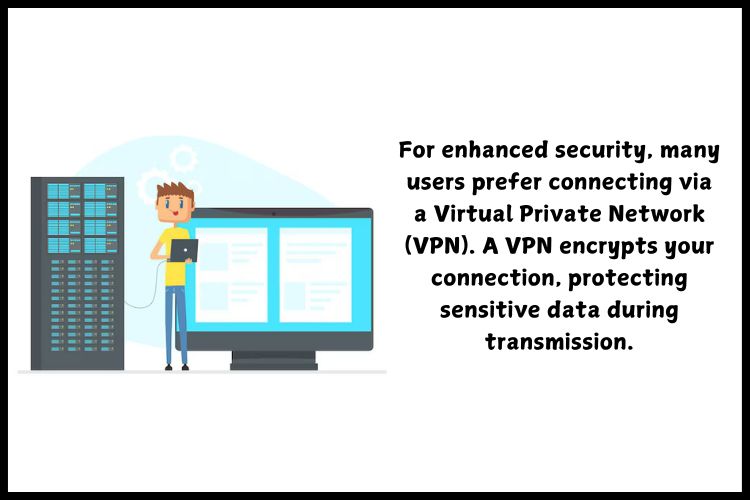
For added security, many businesses use VPNs. A VPN encrypts your connection, making it harder for unauthorized users to access your data.
| Method | Speed | Security | Best For |
| Direct Connection | High | Moderate | Small teams |
| VPN Connection | Moderate | High | Large businesses |
Troubleshooting Common Connection Issues
Even with proper setup, issues can arise. Understanding common problems helps you resolve them quickly.
Login Errors
Incorrect usernames or passwords are the most common issues. Double-check your credentials before trying again.
Network Issues
Slow or unstable internet can disrupt connectivity. Ensure your connection is reliable.
Firewall & Software Problems
Sometimes, firewalls block Tally connections. Adjusting settings or updating software can resolve this.
Tips for Securely Connecting to the Gateway Server
Password Security
Always use strong passwords that combine letters, numbers, and symbols.
Two-Factor Authentication
Enabling 2FA adds an extra layer of protection, making it harder for unauthorized access.
Backup & Monitoring
Regular backups ensure your data is safe, while monitoring helps detect suspicious activity early.Security isn’t just about tools it’s about practices.
Conclusion
The Tally Gateway Server plays a vital role in making Tally on Cloud efficient, secure, and accessible. Without it, Tally remote access and smooth accounting operations would be nearly impossible. By understanding how it works and how to connect properly, businesses can unlock the full potential of Tally multi-user and cloud-based accounting.
With providers like Tallycloudhub, the process becomes even smoother, offering reliable performance and robust security. Whether you’re a beginner or an experienced user, mastering the Gateway Server connection ensures uninterrupted Tally remote access and efficient financial management
Frequently Asked Questions
Q1: Can I connect to the Tally Gateway Server without an internet connection?
No, an active internet connection is mandatory for connecting to the Gateway Server, especially when using Tally on Cloud.
Q2: What should I do if I forget my Gateway Server credentials?
Contact your provider, such as Tallycloudhub, to retrieve or reset your credentials.
Q3: Is it possible to use the Gateway Server for multiple users simultaneously?
Yes, the Gateway Server supports multi-user access, allowing efficient collaboration.
Q4: How secure is the Tally Gateway Server connection?
When configured properly, the Gateway Server ensures secure and encrypted communication, especially with providers like Tallycloudhub.
Connecting to the Tally Gateway Server is a vital step in leveraging the full potential of Tally on Cloud. With Tallycloudhub, the process is seamless, secure, and user-friendly. By following the steps outlined in this guide, you can ensure smooth connectivity and efficient management of your accounting data.