

TallyCloudHub makes Tally on Mobile possible
Tally on Cloud changes the game. By hosting Tally on a secure cloud server, businesses can access their data anytime, anywhere, using not just desktops or laptops, but also Tally on mobile devices like smartphones and tablets even tally on mac. You don’t need to install Tally on your phone instead, you simply log in through the Tally remote access app or browser, and it works just like it would on a computer.
Using Tally on mobile becomes incredibly convenient with cloud hosting. Whether you want to check reports, create invoices, or monitor cash flow, everything is available at your fingertips
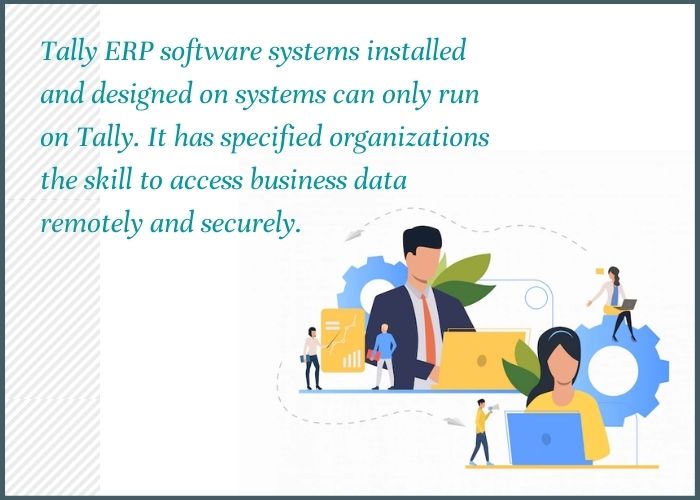
Why Tally on Mobile is needed?
Mobile technology has transformed the way we live and work in today’s digital world.
Almost everything can now be managed and controlled directly from a mobile device.
As businesses and services shift to mobile platforms globally, accessing Tally on mobile and Tally on Mac has become essential to meet growing mobile demands.
With nearly every business function available on mobile, having reliable accounting software like Tally is more important than ever.
With cloud support, users can access all features and functions anytime, anywhere using a single Tally license.
Is there any way to access Tally ERP 9/ TallyPrime on Mobile?
Tally continues to evolve with modern technology, offering smarter ways to access data online. Cloud-based Tally improves efficiency and allows users to work from anywhere.
• Mobile application
Access Tally on the go for quick and easy data management, though some features may require additional cost.
• Remote access software
Tally’s built-in remote access enables secure login from anywhere, but third-party tools may limit usage to one user at a time.
• Browsers Tally
View reports through a web browser on any device with an internet connection.
• Tally on Cloud
A flexible and secure solution using cloud and virtualization technologies, allowing multiple users to work anytime, anywhere.
How to install Tally on Mobile or Tablet?
Tally ERP is a powerful accounting software, but it is designed for Windows and cannot be directly installed on mobile devices or tablets.
To overcome this, solutions like Tally cloud hub best tally on cloud service provider allow users to access Tally on mobile easily. Providers such as Tally Cloud Hub host Tally on secure servers, enabling remote access from any device.
With this setup, you can use Tally on your mobile or tablet through a remote desktop or browser, making it easy to manage your accounting data anytime, anywhere.
What do you need to activate Tally on mobile?
All you would need to access your Tally on Mobile will be –
- Tallycloudhub’s Tally on Cloud plan.
- Your Android/iOS mobile phone.
- The IP address provided to you by Tallycloudhub.
- Tally user license with user credentials to access Tally account.
Tally on Mobile brings advantages like-
Tally ERP application will help the industry succeed in an organized and controlled environment. Tally reports on mobile are planned with the principles of effortlessness and trustworthiness. Tally effortlessly adapts to your industry surroundings and scales itself as your industry grows.
- Anywhere, anytime access to data and reporting.
- High-end data security assured by TallyCloudHub.
- Supports all versions of Tally on any Android/iOS mobile.
- Automated data recovery system.
- 99.99% Up-time guaranteed.
- 24/7 experienced Technical support team for all your queries and questions.
- Major cost-savings.
Conclusion:
Tally on Cloud has certainly been one of the widely chosen, reason being its effectiveness and efficiency in offering Tally accessibility from remote locations and the comfort of using it with any device. With the World getting more digitalized and tech-savvy, applications like Tally accounting software on mobile phones can do a lot of good to your regular functioning. It will also build a feasible environment for multiple users to access Tally from different locations.
So, don’t get late, if you have the requirements, Tallycloudhub will be happy to serve you with the best plan which can fit your requirements. We also offer a free Tally on Cloud Demo to our users in order to get them a fair idea of what a beast they will be using.

FAQ
What is the minimum condition to access Tally on Mobile app?
Tally on Mobile gets real-time details strongly synchronized with your Tally or Tally Prime set up with Cloud computing. Multiple information, control panel, and graphs permit you to choose the workplace, at a conference, or on the road. Android mobile/tablet or iOS phone design makes sure that a mobile network data connection is required.
Can I access Tally data on mobile without an internet connection?
You can strongly allow your Tally ERP 9 from everywhere to record or view information when functioning from a client’s workplace or other isolated locations. All you want at the remote place is a Tally ERP on the mobile device set up and an internet connection.
Can we run Tally on IPAD/ Tablet?
You can access the Tally software on IPAD or Tablet with Tally hosted on the cloud server remote access feature.
Where can I download Tally on Mobile Crack APK?
People say that there is no Tally app for the Mobile platform. All the sites that are delivering cracks are fake. However, there is a way to use Tally on Mobile devices with Cloud technology other than any crack.
Check Out More Tally Related Blogs:
–Get Tally Accounting Software on Cloud by TallyCloudHub
–Top reasons for not ignoring the important benefits of Tally on cloud technology
–Things you must remember while managing multiple branches in tally