
It’s month end. You have an office server breakdown, power outage, or your laptop fails midway while processing a transaction. There are outstanding invoices, the GST filing date is fast approaching, and your employees do not have access to their accounts.
Here comes the significance of Tally Cloud. Your TallyPrime software running on powerful servers guarantees that your financial information is available anywhere anytime despite any problems with your office systems. This paper will discuss the importance of Tally Cloud in maintaining the continuity of your accounting system, the selection of a good provider, and the prevention of downtime.
What Is Tally Cloud?
Tally Cloud represents a form of hosting wherein TallyPrime software operates on a server located elsewhere, managed by professionals, and accessed through the Internet. Your data stays on that server, not on a single office computer.
In practice, Tally Cloud accounting gives you:
Browser or remote-desktop access to TallyPrime from anywhere
Centralized data storage with managed security
Automated backups handled by the hosting provider
Simultaneous access for multiple authorized users
Why Accounting Software Downtime is So Expensive
However, accounting software outages seldom remain an information technology problem for long. Instead, they quickly become an accounting problem.
Reasons for Outages
Hardware issues, such as hard drive crashes or server crashes
Power failures and internet problems in the office
Ransomware or malware on local machines
Corrupted TallyPrime data files
Natural events like floods or fires affecting the premises
Accidental deletion or unsupported software updates
What Downtime Actually Costs
Even a short while may cause delays in invoicing and payment processing. If the outage occurs for a CA firm with several clients, then it will lead to multiple delays in filing deadlines. Over time, this leads to a loss of trust in clients and other stakeholders.
Downtime Protection Provided by Tally Cloud for Accounting Continuity
Downtime protection in Tally Cloud is based on one basic principle: keeping your accounting information away from the vulnerable parts of your office environment.
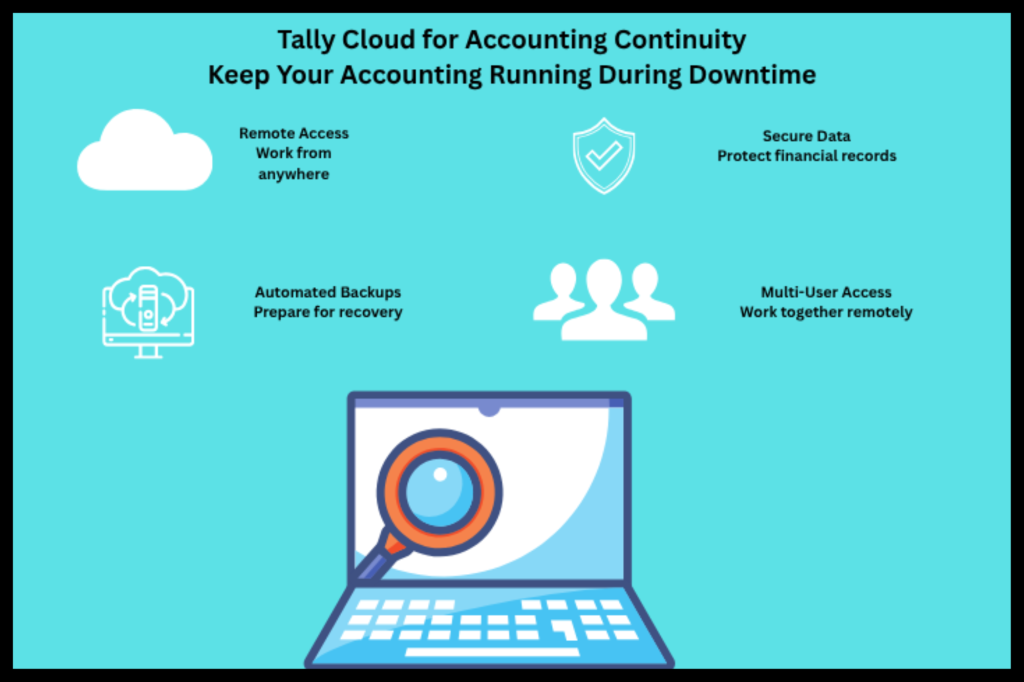
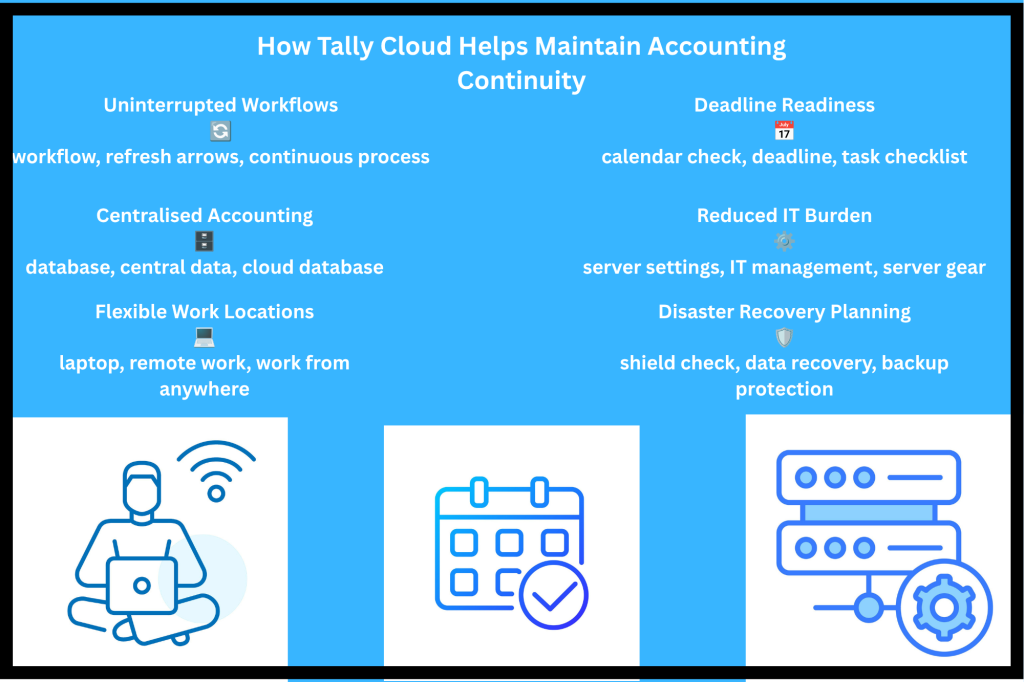
1. Location-independent access
In case your company office becomes unavailable, your accountant will be able to log in from anywhere home, client location, or even from a co working space. They only require a device and internet access.
2. Data Stored Away from Local Risk
When TallyPrime on Cloud runs on professional infrastructure, a failed office PC or power cut doesn’t take your books with it. Your data sits in a managed environment built for uptime.
3. Automated Backups and Faster Recovery
Manual backups are often forgotten or stored on the same machine they’re meant to protect. Reputable Tally Cloud Hosting companies perform periodic backups, with more than one restore point. In case your file gets corrupted, then you can restore the file without having to enter vouchers for weeks.
4. Secure Multi-User Collaboration
The owners, accountants, auditors, and CAs all have access to the same data in a company with permission levels assigned for each individual. This helps in ensuring that the accounting process of your business is not hampered by anyone.
5. Less Dependency on Internal IT
The small or medium-sized business may not have a whole IT department. Smaller companies can benefit from cloud accounting software in that the responsibility for server management is passed onto the software company rather than to the employees.
A Practical Example
Consider a trading company with a local TallyPrime setup on one office desktop. The machine experiences a power surge two days before filing GST returns. Restoration will involve finding the most recent manual backup, which dates back nine days, and entering the lost transactions.
Now consider the same company on Tally Cloud. The desktop failure is irrelevant. The accountant logs into his computer system, and everything is up to date, and all documents are in order.
Tally Cloud vs. Local Setup: Quick Comparison
Factor Local TallyPrime Tally Cloud
Access Office only (unless configured) Anywhere with internet
Backup Manual, often inconsistent, automated, scheduled
Hardware failure impact High minimal for your data
Multi-user access Limited by network Remote and simultaneous
IT maintenance: Your responsibility provider managed
Disaster recovery depends on your setup. Built into the hosting plan
Building a Business Continuity Plan on the Back of Tally Cloud
Tally Cloud is a good base, but business continuity planning should always be built in layers.
Things To Do
List your important accounting activities such as billing, payroll, GST, TDS, and banking. Find out how much downtime is tolerable for you in terms of your finance team.
Move your TallyPrime to an existing cloud hosting service.
Ensure that your permission settings and access configurations are done properly.
Set up an alternative internet link, like a 4G hotspot, for your staff members.
Perform one to two restoration(s) each year.
Tip from an expert
Think of backup restore as an exercise and not as something you are doing by default. An unchecked backup is no backup.
Criteria to Evaluate a Cloud Hosting Company for Tally
However, all hosting services are not alike when it comes to reliability. Consider these features:
Consider the following:
Uptime: Identify the service level agreement.
Security features: Secure connections, firewalls, and restrictions on users.
Backup: The frequency and duration of backup and the amount of time it takes to restore it.
Support: Immediate assistance by TallyPrime experts.
Scalability: Whether it is capable of supporting additional users/businesses when you grow.
Ownership of data: Your capability to extract the data collected.
Key Points
A failure in accounting software affects your finances and reputation.
Tally Cloud separates your data from your PC’s security threats.
Automatic backup and remote access are key features. It is especially suited to CA firms and SMBs that lack technology resources and tight deadlines.
The Tally Cloud works well as part of an overall business continuity strategy.
Conclusion
System failures are inevitable, but losing access to your books doesn’t have to be. Tally Cloud gives businesses remote access, protected data, automated backups, and flexible collaboration, which are the core ingredients of accounting system continuity.
If you’re ready to make your finance operations more resilient, Tallycloudhub offers TallyPrime cloud hosting designed for business owners, accountants, and CA firms who can’t afford interruptions. Start by assessing your current downtime risks, then move your accounting to an environment built to keep running.
Frequently Asked Questions
1. What is Tally Cloud?
It is a service where TallyPrime works on remotely located servers. Access to it happens via the internet; thus, all the accounting information remains in one place.
2. How does Tally Cloud decrease downtime during accounting?
It eliminates your reliance on an office machine or server. In case there are problems with your equipment, power supply, or connection, you can always access the data from other equipment.
3. Is my information secure on Tally Cloud?
If the supplier is reputable, then, yes. Encryption of communication channel, firewall, role-based access control, backup this is what you should be looking at. Do not forget to always inquire about security practices in writing.
4. Can several people use Tally Cloud at the same time?
Yes, several authorized persons, like accountants, finance managers, and auditors, can access the same accounting data at the same time.
5. Is Tally Cloud appropriate for small business organizations?
Yes. The reason is that such firms gain maximum advantage by not having to make any investment in servers and IT specialists.
6.How is Tally Cloud different from using TallyPrime on a local system?
Local TallyPrime stores data on your own hardware, so failures directly affect access. Tally Cloud keeps data on managed servers with remote access and automated backups.
7. Can CA firms use Tally Cloud for multiple clients?
Yes. CA firms commonly use it to manage several client companies from one place, collaborate with clients in real time, and keep working during deadline periods regardless of location.
8. Does Tally Cloud need a fast internet connection?
A stable connection is needed, but the heavy processing happens on the server, so moderate bandwidth is usually sufficient for daily accounting work.