

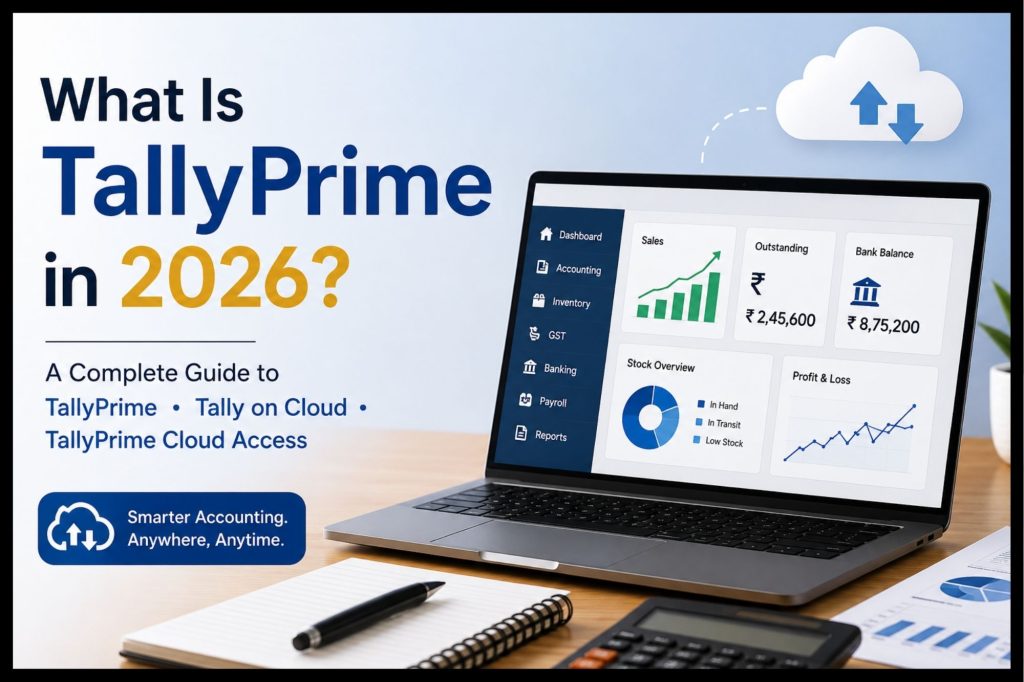
If you are looking for what is Tally Prime, you are probably searching for something more than just Tally Prime definition. In 2026, TallyPrime has grown into a robust business solution that lets a business perform a lot of accounting, invoicing, inventory, taxation, banking, payroll, reporting and compliance through a single platform. For CA firms, accountants, business owners, Tally professionals and expanding businesses, TallyPrime can make everyday financial tasks easier while generating detailed business reports for business decisions.
The latest TallyPrime ecosystem also includes TallyPrime Cloud Access which will let users open TallyPrime remotely via the cloud. This will let teams and professionals collaborate with business data from various locations without having to rely entirely on an office setup.
In this complete article, we will discuss what Tally Prime is, its features, benefits, pricing, Tally on Cloud, TallyPrime Cloud Access and how businesses can choose the best option for them.
What Is Tally Prime
TallyPrime is an accounting and business management solution developed by Tally Solutions Private Limited. TallyPrime is a system that allows businesses’ accounting, invoicing, inventory, taxation and compliance, payroll, banking and financial reporting from a single system
In short, TallyPrime is a system that records a business’s financial transactions and turns that data into useful reports
For example, when a business records a sales invoice, the transaction can impact accounting, inventory and applicable GST information. This allows businesses to not need to maintain completely separate records for different business functions.
TallyPrime is useful for:
Business owners, owners of small and medium size businesses
CA firms, accounting firms
Accountants and bookkeepers
Retailers and wholesalers
Manufacturers
Distributors
Businesses providing services
Traders
E-commerce businesses
Tally professionals and consultants
TallyPrime allows for offline as well as online/cloud-based access to business operations.
What Is Tally? What Is TallyPrime?
Understanding TallyPrime requires you to first understand what Tally is.
Tally is a popular business software ecosystem used for accounting, taxation, inventory administration, payroll and business reporting. TallyPrime is the next generation business administration application in that ecosystem.
In contrast to the simplicity of spreadsheets for bookkeeping, TallyPrime unifies multiple business functions in the same system.
For example:
Sales transaction → Accounting entry → Inventory update → GST impact → Business report
This system-wide integration is one of the reasons for the continued relevance of TallyPrime amongst businesses and accounting professionals.
What Are the Key Features of TallyPrime?
TallyPrime offers an extensive suite of accounting and business management features.
1. Accounting and Bookkeeping
One of TallyPrime’s most fundamental functions is accounting.
With TallyPrime businesses can record:
Sales
Purchases
Receipts
Payments
Journal entries
Credit notes
Debit notes
Expenses
Bank transactions
Once recorded TallyPrime businesses can create financial statements and management reports.
2. GST and Tax Compliance
GST compliance is an essential part of accounting for Indian businesses.
TallyPrime offers a range of invoicing, reporting and compliance workflow tools for GST. It also offers statutory compliance features and Edit Log capabilities.
Using TallyPrime businesses can record the following information:
GST invoices
Tax calculations
GST reports
E-invoicing
E-way bill workflows
Input tax credit information
Tax-related reconciliations
It is important for businesses to check that their current statutory compliance needs are met because tax rules and government processes can change at any time.
3. Inventory Management
TallyPrime isn’t just for accounting.
But businesses that sell physical products can also record the following with TallyPrime:
Stock items
Stock groups
Multiple warehouses
Godowns
Batch details
Reorder levels
Manufacturing needs
Stock valuation
Bill of Materials
Tally’s current product information also underlines features such as unlimited stock structuring, Bill of Materials and reorder-level management.
4. Invoicing and Billing
TallyPrime enables businesses to generate professional invoices while linking billing data with accounting and inventory data.
For example, a distributor having sold 100 units of a product can generate the invoice and record the sales and inventory data in the same operation.
Hence auto-population of data and avoidance of double entries.
.
5. Banking and Cash Flow
TallyPrime can facilitate businesses in timely monitoring of the transactions and the cash flow.
Financial reports generated can enable the business to gain insight into
Cash infrastructure
Receivables
Payables
Bank balances
Outstanding invoices
Cash-flow movements
Which can be utilized when examining working capital and payments
6. Payroll
Businesses having employees can also utilize TallyPrime in the management of payroll.
As per preferences, TallyPrime can manage payroll-related functions including employee records, salary administration and statutory calculations.
7. Business Reporting and Analytics
An effective feature of TallyPrime is the reporting aspect.
You can generate a number of reports including
Profit & Loss Account
Balance Sheet
Cash Flow
Trial Balance
Outstanding Receivables
Outstanding Payables
Stock Summary
Sales reports
Purchase reports
GST reports
TallyPrime offers the benefit of generating analytical and customizable reports to assist businesses to analyze their financials.
What Are the Benefits of TallyPrime for Businesses?
It’s not just about recording transactions – the value lies in converting financial transactions into actionable business information.
Improved Financial Control
Companies no longer require disjointed record-keeping. Accounting, inventory and related data can be maintained in a single integrated environment.
Fewer Manual Tasks
Computing calculations, reports and recurring accounting processes can eliminate repetitive manual tasks.
Quicker Decision Making
Business owners can gain immediate access to information through reports on sales, expenses, receivables, payables, inventory and profitability.
Improved GST Management
GST-focused tools enhance the ability of businesses to structure their tax-related accounting and reports.
A Fit for All Company Sizes
TallyPrime can be cost-selectively configured for small businesses or for growing organisations requiring multi-user usage with complex needs. As per Tally, Silver plan is meant for single-PC usage and the Gold version can be employed for multi-user access on multiple PCs.
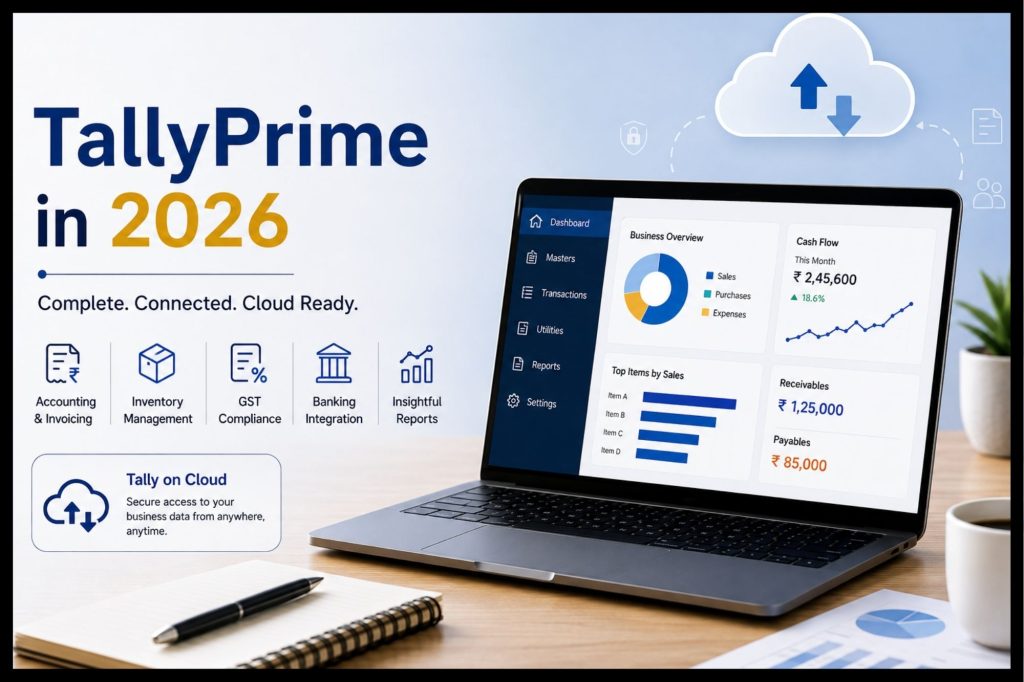
What Is TallyPrime Cloud ?
Simply put, TallyPrime Cloud is using TallyPrime in a cloud based environment rather than limiting the software and all company data to one local computer. The official TallyPRime suite is called TallyPrime Cloud Access
With TallyPrime Cloud Access, the user can run TallyPrime on a virtual computer hosted in the cloud and connect to it from any computer. According to Tally, the service is hosted in Oracle Cloud Infrastructure and can be accessed via a web browser or a virtual client
This is especially handy for:
CA firms
Remote teams of accountants
Multi-location companies
Traveling business owners
Tally consultants
Homeworking staff
What Is Tally On Cloud?
Tally on Cloud is accessing TallyPrime with a cloud based infrastructure instead of having the complete set up only on a local office computer.
Let’s say there is a CA Firm in Mumbai, Pune and Delhi having accountants.
The same Tally environment can be accessed remotely with additional work in infrastructure and setup with the traditional local setup.
With a cloud based setup, authorized users can have remote access to the TallyPrime environment with the supported cloud access and this can provide a less cumbersome option for collaboration with geographically distributed teams.
TallyPrime Cloud vs Traditional Tally Setup
Factor | Traditional Local Setup | TallyPrime Cloud Access |
Location | Primarily local environment | Remote cloud access |
Remote working | Requires additional setup | Designed for anywhere access |
Infrastructure | Local PC/server | Cloud virtual computer |
Accessibility | Depends on local network/setup | Internet-based access |
Maintenance | Local infrastructure management | Cloud environment |
Remote collaboration | Can require additional configuration | More convenient for distributed users |
The right option depends on the company’s security requirements, internet availability, number of users, workflows and IT infrastructure.
What Is Tally Cloud Hub?
The term Tally Cloud Hub can be used to refer to a cloud based provider of services or solutions that enable businesses and professionals to opt for cloud based utilization and management of TallyPrime.
If you are considering using cloud accounting for your business, it would be helpful to partner with a provider like Tally Cloud Hub when you need more than just a TallyPrime purchase.
A complete cloud solution will typically involve:
Cloud configuration
User access control
Remote access
Backup of data
Security settings
Support/technical assistance
Installation of TallyPrime
Assistance with migration
Ongoing cloud support and management
The key point to remember is to
between TallyPrime and cloud hosting/access, the former referring to the accounting/business management software, and the latter indicating how and where users will access that software.
TallyPrime Cloud Access: How Does It Work?
It’s quite simple.
Step 1: Pick TallyPrime
The business should own a suitable TallyPrime license.
Step 2: Pick Cloud Access
The business can pick a suitable cloud-access plan based on its needs.
Step 3: Setup the Cloud Environment
TallyPrime is available in the cloud environment. User access and other parameters are setup.
Step 4: Transfer or restore Business Data
Existing company data can be transfered or restored as per the applicable procedures.
Step 5: Authorize Users
Various employees, accountants or professionals can be authorized with suitable access.
Step 6: Use Remotely
The authorized users can use the TallyPrime environment from appropriate devices and locations.
Tally’s present Cloud Access reference manual describes the service as a computer in the cloud which provides users to run TallyPrime without needing to setup the software locally.
Who Should Use TallyPrime on Cloud?
CA Firms
CA firms typically have multiple clients and accounting professionals. Cloud access is handy for remote collaboration and client-account management.
Business Owners
Business owners who travel or have multiple application sites can use TallyPrime on Cloud for emergency access to reports and business data.
Accountants
Accountants can work from any location while accessing the same TallyPrime environment, depending on their organization’s access control policy.
Tally Professionals
Tally consultants and professionals who work with multiple organizations would benefit from the streamlined cloud-based workflow.
Growing Businesses
As growing businesses expand into multiple branches and organization sites, they can use cloud-based access to support a more distributed workforce..
TallyPrime Pricing in 2026
TallyPrime pricing is dependent on the license, its duration and the number of users.
As listed by Tally for India, TallyPrime Silver is intended to serve business users who want TallyPrime for one PC while Gold is intended for multiple users across multiple PCs. Plans currently listed are monthly, quarterly, annual and lifetime.
Tally lists for:
Silver: from ₹750 + 18% GST for one month
Silver annual plan: ₹8,100 + GST
Silver lifetime license: ₹22,500 + GST
Gold: from ₹2,250 + GST for one month
Check the most up to date and official prices before buying, as Tally can change the price of its products at any time.
How Much Does TallyPrime Cloud Access Cost?
Tally currently keeps the cost of the Cloud Access distinct from the cost of TallyPrime license. Tally’s official Cloud Access page currently lists them at ₹600/month + 18% GST at the lowest and at ₹3560/month +18% GST with the most resources at the higher end, depending on a bundle’s resources and usage needs.
So businesses should factor the costs of TallyPrime license and cloud-access separately into their total cost.
Is TallyPrime Right for Small Businesses?
Yes.
TallyPrime is especially useful for small and medium-scale businesses that require accounting, invoicing, inventory and compliance functionality without having to go for a complex enterprise solution.
For instance, a small wholesale business can use TallyPrime to:
Generate purchase invoices.
Update inventory.
Maintain supplier balances.
Generate sales invoices.
Maintain customer outstanding balances.
Generate GST-related reports.
Evaluate profitability.
Evaluate cash flow.
This allows the owner to have a consolidated view of their business.
TallyPrime Works Better in Cloud or on a Computer?
No, there is no one answer.
A local version is ideal if
- The majority of the team works in one office.
- One wants to limit internet usage.
- You have an adequate IT infrastructure on site.
- You don’t have so much of a need for remote accessibility.
A cloud based version works best if
- You have remote working employees.
- You have multiple sites.
- You or the business owner travel often.
- You work for a CA firm and your work process is remote accounting.
- You have a team that accesses TallyPrime.
- You want to off-load management of local IT infrastructure.
It is not a matter of choosing ‘new technology’ but rather what suits your business’s workflow, security concerns, bandwidth, user needs and the overall cost of the solution.
Before Switching Your Business to TallyPrime Cloud
Some things to keep in mind when moving your accounting environment:
1. Verify Your TallyPrime Version
Confirm that the version of TallyPrime and the features you have requirements for, are compatible with your target cloud level.
2. Plan Your Data Migration
Take a backup of your data before migrating your business data.
3. Manage User Permissions
Don’t give access to all users. Give permissions based on responsibility.
4. Confirm Your Internet Connectivity
Click to expand
The cloud applications depend on internet connectivity.
5. Confirm Your Backup Policy
Ask about the backup. Ask over what it is backed up to and what the restore process is.
6. Take Security Seriously
Strong authentication, user access and device security are recommended. TallyPrime Cloud Access currently provides enhanced security features like dual factor authentication.
7. Train Your Employees
Employees can only become the best when they are trained on how to use technology.
Key Points: What is Tally Prime?
There are several key points to remember about this guide, and they include:
TallyPrime is an accounting and business management software application.
It provides features for accounting, invoicing, inventory, GST, payroll, banking, and reporting.
TallyPrime can be used by companies, accountants, CA firms, and Tally professionals.
Tally on Cloud involves accessing TallyPrime via a cloud-based interface.
The official version offered by Tally is TallyPrime Cloud Access.
Cloud access allows the user to use TallyPrime remotely.
Costing for TallyPrime and cloud access should be treated separately.
Conclusion
TallyPrime remains an important accounting and business management solution for businesses in India, accountants, CA firms, and Tally professionals.
The definition of what Tally Prime has evolved from accounting software to the combination of accounting, GST, invoicing, inventory, banking, payroll, reporting and business intelligence into one unified environment.
Simultaneously, the need to have access to your TallyPrime system remotely becomes more acute. TallyPrime Cloud Access meets this need in the form of a cloud-hosted TallyPrime.
When deciding between Tally Prime Cloud, Tally on Cloud and cloud-based accounting systems, the proper choice will depend on licensing, security, user access, data backup, connectivity, support and other business needs.
Properly implemented and supported, Tally Cloud Hub may become a powerful solution to make your TallyPrime more accessible and appropriate to the needs of modern businesses.
FAQ’s relating to Tally Prime
1. Define TallyPrime in layman's language?
TallyPrime is the accounting and business management software that can be used to manage transactions, invoices, inventory, taxation, salary, bankings and business reports.
2. How do we use Tally?
Tally is used for book keeping, billing, stock control, calculation of GST, payroll, bank reconciliation, and financial reporting. It is possible that Tally could be used by firms in keeping accounts and preparation of financial statements such as profit and loss account, balance sheet, trial balance, and so forth.
3. Is TallyPrime an accounting software?
Yes. TallyPrime is basically accounting and business management software. Apart from accounting, it offers functionalities in inventory, invoicing, taxation, payroll, banking and reporting.
4. What is TallyPrime Cloud Access?
Cloud Access from Tally is Tally’s cloud access offering which enables users to execute TallyPrime in a cloud hosted virtual computer environment. The cloud access offering helps in providing remote access by not requiring the complete TallyPrime environment on the user’s side.
5. Can TallyPrime be used without the Internet?
Yes. TallyPrime can be used in offline mode for accounting and business operations. Companies can make use of TallyPrime Cloud Access when cloud based remote access is required.
6. Is TallyPrime suitable for CA firms?
Yes. CA firms can use TallyPrime for accounting, compliance-related workflow, reporting and client accounting operations. Cloud access can help teams operate remotely, however, depending on the CA firm’s needs regarding security and data of clients, the setup has to be devised accordingly.
7. What is the difference between TallyPrime and Tally on Cloud?
TallyPrime is the accounting and business management application. Tally on Cloud is cloud access which means the access to the application in cloud infrastructure. In more simple terms, TallyPrime would be the software application and cloud computing would be the means by which this software application would be accessed from that distant location.
8. What is the latest version of TallyPrime in 2026?
TallyPrime up to July 2026 supplied by Tally is the TallyPrime version 7.1.Since there have been some updates in the editions of TallyPrime, it is necessary to go through Tally’s documentations prior to updating.