

How to run Tally accounting software on MacBook Pro?
If you’ve ever tried running Tally ERP 9 or TallyPrime on a MacBook Pro, you probably hit a wall. It just doesn’t work natively. Mac users often find themselves stuck because Tally was originally built for Windows systems. Here’s the good news: things have improved significantly.
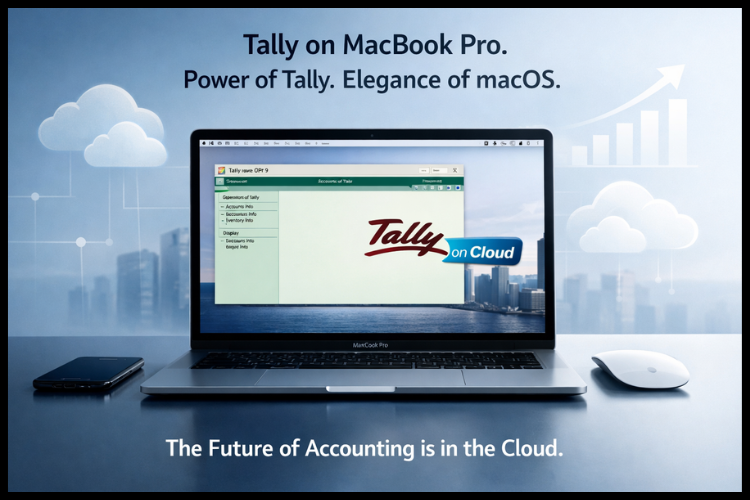
Today, with Tally on Cloud, you can run Tally smoothly on your MacBook without compromising performance, speed, or your beloved MAC experience. No switching operating systems, no lag, no complicated installations. Just seamless accounting exactly how it should be.
Let’s break it down step by step so you understand how it works and why it’s quickly becoming the go-to solution for accountants and businesses.
Why Tally Doesn’t Run Natively on Mac?
Windows Dependency of Tally ERP 9
Tally has always been deeply rooted in the Windows ecosystem. From its architecture to its execution environment, everything is designed for Windows. That means macOS doesn’t support it directly. So when Mac users try to install it, they either fail or are forced to use workarounds that affect system performance.
This limitation has been a major hurdle for professionals who prefer MacBooks for their speed, design, and reliability.
What Challenges Do Mac Users Face While Using Tally?
MacBook users often encounter a few limitations when trying to run Tally, since it is primarily designed for Windows environments. Here are some common challenges
Lack of Native Support
Tally is not officially available for macOS, which means it cannot be installed directly on a MacBook.
Complex Setup Requirements
Users often need alternative solutions to run Tally, which can be time-consuming and confusing for non-technical users.
Performance Issues
Running Tally through indirect methods may lead to slower performance, lag, or occasional crashes, especially with large data.
Compatibility Concerns
Certain features or integrations may not work smoothly on Mac compared to Windows systems
Data Accessibility Limitations
Without the right setup, accessing Tally data remotely or across devices can be difficult.
Maintenance & Updates
- Managing updates, backups, and system performance can become complicated without a streamlined solution.
The Game Changer Tally on Cloud for Mac
What is Tally on Cloud
Tally on Cloud is a modern solution where your Tally software is hosted on a secure cloud server instead of your local device. You simply access it remotely, just like logging into Gmail or Google Drive.
Instead of installing Tally on your Mac, you access it through the internet. That means no compatibility issues, no heavy installations, and no system slowdowns.
According to recent data, cloud-based Tally solutions allow users to access their accounting software from any device, including Mac, tablets, and smartphones, without performance issues.
How Cloud Solves Mac Compatibility Issues
Think of it like streaming Netflix. You don’t store movies on your device; you stream them. Similarly, Tally runs on a cloud server while your Mac simply displays it.
This removes all compatibility issues instantly.
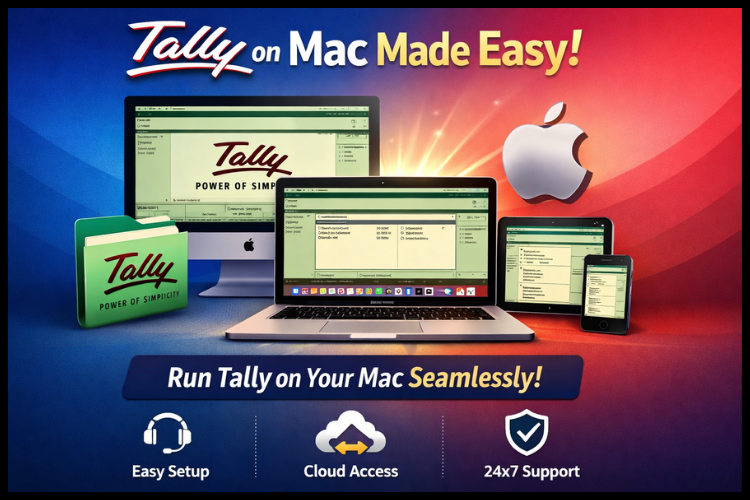
How Tally on Cloud Works on a MacBook
Remote Access Explained
When you use Tally on Cloud, you connect to a high-speed remote server where Tally is already installed and optimized. You just log in and start working.
No downloads. No installations. No stress.
Device Compatibility (Mac, iPhone, iPad)
One of the biggest advantages? Flexibility.
You can access Tally from:
- MacBook Pro
- iPhone
- iPad
- Windows PC
- Even Android devices
That’s because cloud-based Tally works across operating systems, giving you complete freedom.
What are the key Benefits of using Tally on a MacBook Pro
High-Speed Performance runs Tally smoothly on your MacBook Pro without worrying about slowdowns. With optimized cloud access, you get fast processing, minimal lag, and seamless performance even when handling large volumes of data.
Quick & Hassle-Free Setup
No complex installations or technical configurations required. You can start using Tally on your MacBook Pro within minutes, with everything ready to go from the start.
Access Anytime, Anywhere
Your MacBook Pro becomes a powerful accounting hub. Access your Tally data:
- From home
- While traveling
- From the office
- Even on a low internet speed
Work without limitations and stay connected to your business anytime.
Advanced Data Security & Backup
Using Tally on your MacBook Pro through cloud solutions ensures your data is always safe:
- Automatic daily backups
- Secure encrypted connections
- Strong firewall protection
Enjoy enterprise-grade security along with reliable uptime, so your business data is always protected and accessible.
Tally on cloud on Mac Plans
Selecting the right plan depends on your business requirements and specific needs. Here’s a breakdown
User-Based tally on Cloud Plan (Best for Small Businesses)
- Unlimited storage
- 99.99% uptime
- Daily backup
- User based tally Fully managed
Ideal for freelancers and small business owners.
Tally on Cloud-Based VM Plan (Best Choice for Medium Businesses)
- 50GB SSD storage
- 99.95% uptime
- Daily backup
- VM based tally Fully managed
Ideal for growing teams handling moderate data.
Tally Dedicated Server Plan (Best for Large Businesses)
- 250GB SSD storage
- 99.95% uptime
- Daily backup
- Dedicated server tally Fully managed
Best suited for enterprises with high workloads.
Why Choose Tally on Cloud for MacBook
Easy Setup
Getting started is incredibly simple. You just log in and start using Tally, no technical expertise needed.
Saves Time
No installations, no manual backups, no IT headaches. Everything is handled for you.
You can literally start working in under 10 minutes.
Always Available
Tally on Cloud works even on slower internet connections like 3G. That means you’re never stuck.
You get uninterrupted access to your business data 24/7.
Who Should Use Tally on Cloud
This solution isn’t just for tech-savvy users. It’s for anyone who wants efficiency.
- Accountants managing multiple clients
- Small business owners
- Growing startups
- Enterprises with multiple branches
Cloud-based Tally is especially useful for businesses that need real-time collaboration and remote access.
Real Business Advantages
Let’s talk about the real impact.
Businesses using Tally on Cloud experience:
- Faster decision-making
- Better collaboration
- Reduced IT costs
- Improved productivity
Instead of being tied to one system, your entire team can work together seamlessly from anywhere.
Conclusion
Running Tally on a MacBook Pro is no longer a challenge; it’s an opportunity. With Tally on Cloud, you get the best of both worlds: the power of Tally and the elegance of macOS.
You don’t have to compromise performance, switch operating systems, or deal with complicated setups. Everything becomes simple, fast, and accessible.
If you’re serious about efficiency, scalability, and flexibility, moving to cloud-based Tally isn’t just a smart decision; it’s the future of accounting.
Frequently ask questions
Q1. Can I run Tally directly on a MacBook Pro?
No, Tally doesn’t run natively on macOS. You need a cloud-based solution to access it smoothly.
Q2. Is Tally on Cloud safe?
Yes, it offers encrypted access, daily backups, and enterprise-level security.
Q3. Do I need high-speed internet for Tally on Cloud?
No, it works even on slower connections like 3G.
Q4. Can I access Tally from IOS devices?
Yes, you can access it from iPhones, iPads, and Android.