

Imagine you are at a client’s office. They ask for last month’s outstanding invoices. Your only copy of Tally is on a desktop back at your workplace. This is a small problem, but it can cause a big delay. You might feel like your accounting setup is not working well with the way you actually work.
Many Indian companies are moving their Tally setup to the cloud because of this problem. The thing is, accounting software like Tally that only works on desktops does not make sense for companies anymore. This is because the teams of companies are now working from different locations, and the clients of Indian companies want faster answers from Indian companies about their Tally setup.
This guide will tell you what Tally on cloud really means. It will also explain why 2026 is a year for companies to start using cloud-based Tally. Additionally it will help you know what to look for when choosing a provider including services like TallyCloudHub. Tally on cloud is becoming more popular. It is essential to understand what it involves and how it can help your business. Tally is a tool for many companies, and moving it to the cloud can make a big difference in the way you work with Tally.
So What Does "Tally on Cloud" Really Mean?
The main thing that happens is that the person who does your accounts in Pune, the person who manages your work in Bengaluru, and you, when you are with a client in Delhi, can all look at the accounts records at the same time.
You do not have to send files by email.
You do not have to wait for someone to be at their computer to see the accounts records.
The person who does your accounts in Pune and the person who manages your work in Bengaluru, and you can all look at the accounts records at the time when you are with a client, in Delhi

Why Are Indian Businesses Moving to Tally on Cloud Hosting in 2026?
A few things have converged to make 2026 the year cloud hosting stopped being optional for a lot of businesses:
Hybrid work is no longer a pandemic-era exception; it’s just how many Indian SMEs operate now, with staff and vendors spread across cities. At the same time, data protection expectations have tightened considerably, and regulators are paying closer attention to how financial records are stored and accessed. To be honest, setting up our IT system to provide secure and constant access is really costly. Cloud hosting gets around that expense completely for businesses that do not require a full-time IT team.
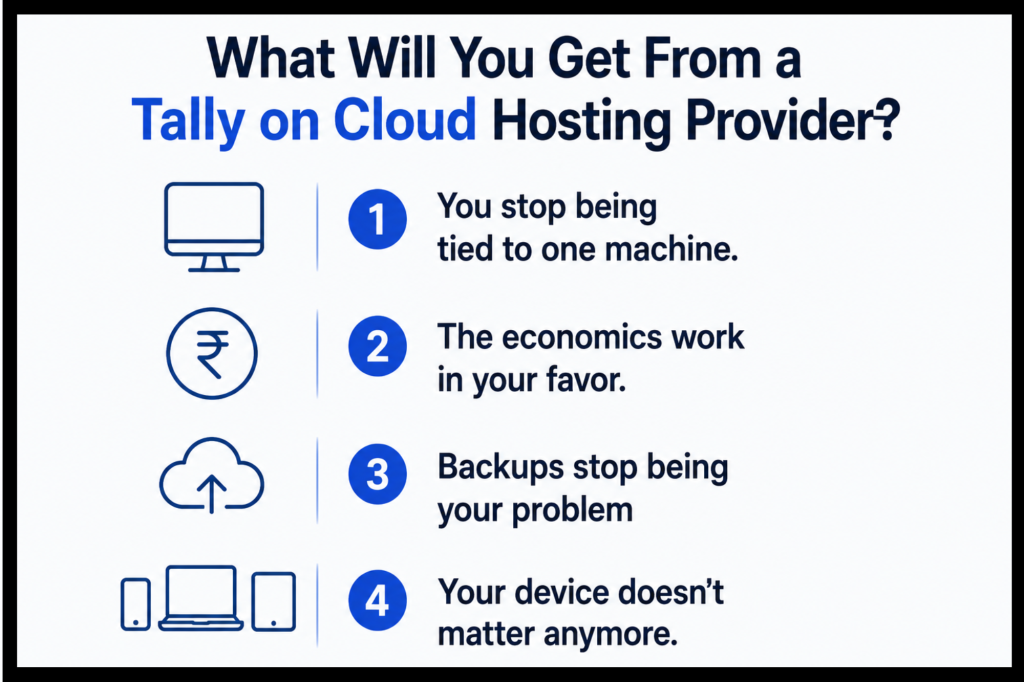
What will you get from a Tally on Cloud Hosting Provider?
You stop being tied to one machine.
Whether you’re traveling, working from a branch office, or handling things from home on a weekend, your books are one login away. For businesses running multiple locations, this alone can eliminate a lot of coordination headaches.
The economics work in your favor.
There’s no server to buy, no IT staff to hire just for maintenance, and most providers charge on a subscription basis, so costs stay predictable and scale with your actual usage rather than requiring a big upfront investment.
Backups stop being your problem
Cloud providers typically run automated daily backups in the background. If something goes wrong, a crash, an accidental deletion, recovery is usually a quick process rather than a scramble.
Your device doesn't matter anymore.
I can use my Windows laptop, my iPhone, my Android tablet, or Tally on my Mac with cloud hosting and that gets rid of the problems I have with software that only works on desktops.
How Does Tally on Cloud Hosting Support TallyPrime and Tally ERP 9 Functionality?
Individuals frequently believe that transitioning to the cloud will limit Tally’s capabilities. That is untrue. Everything Tally was originally capable of remains accessible. The cloud simply provides additional advantages.In ERP 9, you can still handle all your accounting along with inventory management and payroll. You can also perform GST billing and file returns, allowing you to manage multiple clients simultaneously. GST invoicing and submitting returns are tasks that can be completed effortlessly. Handling currencies and numerous companies simultaneously is a significant benefit.With TallyPrime, you can still enjoy its user-friendly interface. Reports can also be generated quickly. Easily link your data.The cloud provides you various advantages. You can collaborate with your accountant simultaneously, even when you’re not in the same location. You need not concern yourself with lacking storage space as it expands with each transaction you make. You don’t need to reinstall anything or switch to a desktop
Where TallyCloudHub Fits In
Not every provider delivers the same level of reliability, and it is often in this disparity that companies experience downtime during month-end closures, unresolved support tickets, and rates that gradually increase after the initial months.
TallyCloudHub was designed to eliminate those specific issues: transparent pricing without hidden fees, support that’s truly accessible 24/7 instead of only during “business hours,” and reliable server uptime that remains consistent even during peak times like GST filing deadlines.
It is especially effective for startups requiring a reliable cloud server for small business without excessive complexity in their configuration, CA firms managing multiple clients’ accounts simultaneously, and expanding companies seeking a cloud server for small business now while needing flexibility to grow without changing suppliers later.
What Security Questions Should You Ask Your Tally Cloud Hosting Provider?
It’s common to be cautious when sharing your information with a company that isn’t yourself. This is an object. Prior to selecting a company, you need to evaluate certain factors.
Your financial information needs to be. Secure while being transmitted to the company’s computer and when it is held on that computer. The company’s computer must have a security system, and individuals should monitor for anyone attempting to access it. The company must provide evidence that they frequently review their security rather than simply claiming they do.
You can take steps to ensure your information remains secure. A type of security verification should be implemented for every account that requires a password. You should only allow individuals to view and perform tasks essential for their role. It is advisable to create a duplicate of your data and store it in a different location so that if anything occurs with the company’s computer, you will retain your information. Possessing a copy is similar to having insurance; it’s a concept that doesn’t require significant expense.
What Should You Check Before Choosing a Tally on Cloud Hosting Provider in India?
It’s common to be cautious when sharing your information with a company that isn’t yourself. This is an object. Prior to selecting a company, you need to evaluate certain factors.
Your financial information needs to be. Secure while being transmitted to the company’s computer and when it is held on that computer. The company’s computer must have a security system, and individuals should monitor for anyone attempting to access it. The company must provide evidence that they frequently review their security rather than simply claiming they do.
You can take steps to ensure your information remains secure. A type of security verification should be implemented for every account that requires a password. You should only allow individuals to view and perform tasks essential for their role. It is advisable to create a duplicate of your data and store it in a different location so that if anything occurs with the company’s computer, you will retain your information. Possessing a copy is similar to having insurance; it’s a concept that doesn’t require significant expense.
Conclusion
Cloud hosting for Tally has moved from “nice to have” to something close to standard practice for businesses that need flexibility and can’t afford data loss. If you’re a small business owner juggling multiple responsibilities, tally o cloud for CA managing several clients‘ books, or a company that’s outgrowing its current setup, moving to a provider like TallyCloudHub is less about following a trend and more about closing a gap that’s probably already costing you time.
Frequently Asked Questions
Q.1 What's the actual difference between Tally on Cloud and regular desktop Tally?
Desktop Tally lives on one specific computer; if you’re not at that machine, you’re not getting into your books. Cloud hosting removes that restriction entirely; you access the same software and data from any device with an internet connection.
Q.2 Is this realistically affordable for a small business, or is it aimed at bigger companies?
Most providers, TallyCloudHub included, structure their plans specifically for small and mid-sized businesses, so you’re not paying for infrastructure you don’t need. It’s generally cheaper than maintaining your own server setup once you factor in hardware and IT costs.
Q.3 Can I actually use this on a Mac?
Yes. Since everything runs through remote access rather than a local install, Tally on Mac works the same way as it does on Windows or mobile, no separate version needed.
Q.4How protected is my data once it’s on someone else’s server?
Reputable providers encrypt your data, protect servers with firewalls, and run regular backups. Combined with practices like two-factor authentication on your end, the setup is generally more secure than a single unprotected desktop computer.
Q.5 Does this work with both Tally ERP 9 and TallyPrime?
Yes, cloud providers typically support both versions in full, so you’re not giving up any features by moving off a desktop install.
Q.6 How do I actually log in once I've subscribed?
You’ll get tallyonline credentials that let you access your dashboard through a remote connection or dedicated app, available whenever you need it.