
At TallyCloudHub, we’ve worked with 2,000+ clients across India and globally, and we’ve heard this concern in every form. Will my financial data be exposed? What happens if the server goes down? Who has access to my company’s books? These aren’t paranoid questions; they’re smart business questions.
Here’s our honest answer: Tally on Cloud, when hosted with best tally on cloud service provider, is not just safe, it is significantly more secure than a traditional desktop Tally setup. Most data breaches, losses, and compliance failures we’ve seen over the years happened on local systems, not cloud servers. A hard disk crash, an unattended office computer, a stolen laptop; these are the real threats facing businesses today.
In this blog, we break down exactly how Tally on Cloud security works, what enterprise-grade protections your data gets at TallyCloudHub, how backups operate, and what compliance standards matter for Indian businesses in 2026. By the end, you’ll have full clarity, not just reassurance
Why Data Security Matters More Than Ever for Tally Users in 2026
The Growing Threat to Business Financial Data
India’s digital economy is expanding at speed, and so are cyber threats. Financial data invoices, GST returns, payroll records, and stock ledgers are among the most sensitive types of
information a business holds. Tally files stored on a local desktop are vulnerable to ransomware attacks, accidental deletion, hardware failure, and unauthorized physical access.
According to cybersecurity trends in the Indian market, small and mid-size businesses are increasingly targeted precisely because they lack enterprise-level security on their local systems. A single breach can mean months of recovery or permanent loss of data.
What Makes Cloud-Hosted Tally More Resilient
When your Tally data lives on a professionally managed cloud server like TallyCloudHub, it moves out of your office’s vulnerability zone and into a controlled, monitored, multi-layered security environment. Every layer from physical data center security to encrypted connections is managed by specialists so your team doesn’t have to think about it.
How TallyCloudHub Secures Your Tally Data Layer by Layer
1. Physical Security Tier 3 Data Centers
Your Tally data at TallyCloudHub is hosted in Tier 3 certified data centers located in India. These facilities operate with:
- Biometric access controls allow only authorized personnel to physically enter server rooms
- 24/7 CCTV surveillance with security personnel on-site at all times
- Redundant power supply with UPS backup and diesel generators to prevent downtime during power failures
- Implementing advanced fire suppression systems and proper environmental controls is essential for protecting IT infrastructure
This level of physical protection is virtually impossible to replicate in a typical office environment. Your accountant’s desktop simply cannot compete with this.
Why Location Matters: India-Based Servers for Indian Businesses
TallyCloudHub’s servers are based in India, which means lower latency (faster performance), compliance with India’s data privacy regulations, and no dependency on international data routes that can introduce delays or jurisdictional complications.

2. Network Security Encrypted Connections at Every Step
Every session on TallyCloudHub is protected through SSL/TLS encryption and delivered via the RDP (Remote Desktop Protocol), the same technology used by enterprises and government institutions globally.
What this means for you:
- End-to-end encryption: Data traveling between your device and the cloud server is fully encrypted, meaning no third party can intercept it in transit
- Firewall protection: Enterprise-grade firewalls monitor all incoming and outgoing traffic and block unauthorized access attempts in real time
- IP whitelisting optionally restricts access to only specific IP addresses, so your Tally can only be accessed from approved locations
Secure Access From Any Device
Whether you’re logging in from a MacBook, Windows laptop, tablet, or mobile your connection to TallyCloudHub is equally secure. The security isn’t device-dependent; it lives on the server side, where TallyCloudHub’s infrastructure manages it.
3. User Access Control: Who Can See What
One of the most overlooked security vulnerabilities in traditional Tally setups is poor access control. When Tally is on a shared office computer, practically anyone in the room can open it. Cloud hosting solves this fundamentally.
At TallyCloudHub, you can configure:
- Role-based access defines exactly what each user (accountant, manager, auditor, owner) can view or modify
- Individual login credentials, every user gets their own username and password; no shared logins
- Two-factor authentication (2FA) is an additional OTP or authenticator layer that prevents unauthorized login even if a password is compromised
- Session management auto-logs out after inactivity to prevent open sessions on unattended devices
The Audit Trail Advantage
Every action taken within your TallyPrime on Cloud generates a log. Who logged in, when, and what was changed are all tracked. This is invaluable for internal audits, CA reviews, and resolving any discrepancies without guesswork.
4. Data Isolation: Your Data Belongs to You Alone
At TallyCloudHub, every client’s Tally environment is isolated on dedicated virtual machines. This means your data is never commingled with another client’s data on the same partition a critical distinction from cheaper shared hosting setups.
Think of it as having your own private room in a high-security building, rather than a shared open office. The building’s security is shared; your space is exclusively yours.
How TallyCloudHub's Automatic Backup System Works
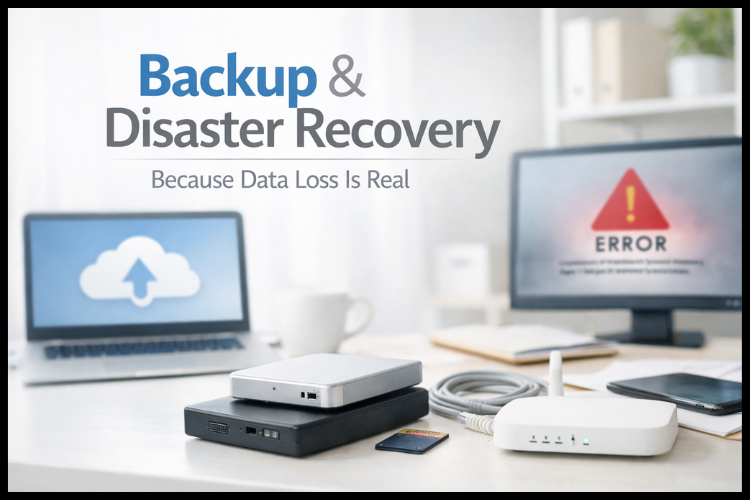
Data loss is one of the biggest fears businesses have, and with good reason. Local Tally setups often depend on manual backups that get skipped, forgotten, or stored on the same machine that just crashed.
TallyCloudHub eliminates this risk with automated, multi-location backups:
- Daily automatic backups of your Tally data are performed every day without any action required from your side
- Multiple backup copies are stored at more than one location, so if one storage node fails, your data is recoverable from another
- Point-in-time recovery in the event of an issue, we can restore your data to a specific date and time, minimizing any loss window
- Manual backup download: You can download your own backup at any time, giving you complete control and peace of mind
How Fast Can Data Be Restored?
Recovery time at TallyCloudHub is measured in minutes, not days. Unlike a local hardware failure where you’re waiting for a technician, a disk replacement, and a recovery attempt, a cloud restore is handled on our end instantly, with no disruption to your business operations.
Business Continuity Uptime You Can Count On
A Tally system that goes down during month-end closing or GST filing day is more than an inconvenience; it’s a business crisis. TallyCloudHub operates with a 99.9% uptime SLA, backed by:
- Redundant server infrastructure if one server experiences an issue, your session migrates seamlessly to a backup server
- 24/7 monitoring our infrastructure is monitored around the clock by our technical team, not just during business hours
- High-availability configuration of critical systems is mirrored to ensure no single point of failure can bring down your Tally access
Compliance & Regulatory Standards Tally on Cloud in the Indian Legal Context
GST Compliance and Cloud Hosting
Running TallyPrime on the Cloud does not affect your GST compliance in any way. The software itself, TallyPrime, handles all GST computation, e-invoicing, e-way bill generation, and return filing exactly as it would on a local system. The cloud simply changes where the software runs, not how it functions.
In fact, cloud hosting makes compliance easier:
- Your CA or auditor can access your books remotely during filing season without you having to share files manually
- Your Tally can be updated to the latest GST-compliant version without interrupting your setup
- Real-time multi-user access means your team can work on entries while compliance reports are being prepared simultaneously
TallyCloudHub and India's Data Privacy Regulations
India’s Digital Personal Data Protection (DPDP) Act places clear responsibilities on businesses to protect the personal and financial data they hold. Hosting with TallyCloudHub with India-based servers, encrypted storage, access control, and audit trails is designed to align with these obligations.
eKYC and Verified Access: A Compliance-First Approach
TallyCloudHub requires all users to complete eKYC verification as mandated by government regulations before accessing the platform. This ensures that only verified, accountable individuals are operating within your cloud Tally environment, a layer of compliance that local desktop setups simply cannot offer.
Benefits of TallyCloudHub's Secure Cloud Server By Use Case
For Business Owners
- Access your company’s financial data from anywhere, office, home, or travel, without compromising security
- Know that your accounts are protected by enterprise-grade infrastructure you don’t have to manage yourself
- Never lose data to hardware failure, theft, or accidental deletion again
- Get a real-time view of your financials without waiting for your accountant to share files
For Chartered Accountants (CAs)
- Manage multiple client accounts from a single secure cloud access point
- Work on client books remotely without clients needing to physically share Tally data
- Maintain data separation between clients through isolated environments
- Access audit trails for every change made to financial records
For Multi-Branch Businesses
- All branches work on the same centralized Tally data in real time, no more consolidating separate files
- Head office can monitor branch accounts without delays or data transfers
- Branch-level access can be restricted so staff only see what’s relevant to their location
For Remote & Hybrid Teams
- Your team can work from anywhere on a 3G/4G connection, no VPN, no IT setup required
- Accountants working from home have the same access and experience as in the office
- Collaboration between departments happens in real time on the same live data
How to Get Started with Secure Tally on Cloud at TallyCloudHub
Step 1 - Choose Your Plan
TallyCloudHub offers flexible monthly plans designed for all business sizes, from single-user setups for freelancers and small businesses to multi-user plans for growing enterprises and CA firms. Select a plan based on the number of users and storage you need.
Step 2 - Complete eKYC Verification
As part of our compliance-first approach, you’ll complete a quick eKYC process. This takes under 10 minutes and ensures your account is fully verified and secure from day one.
Step 3 - Cloud Setup in Under 10 Minutes
Our team handles the complete setup, installing your licensed TallyPrime on our cloud servers and configuring your access. You don’t need any technical knowledge. If you’re on a Mac, the setup takes less than 10 minutes. Windows users are up and running just as fast.
Step 4 -Migrate Your Existing Data
Already using Tally on a local system? We handle the data migration for you. Your company data, ledgers, vouchers, and history are transferred securely to the cloud no disruption to ongoing operations.
Step 5 - Access From Any Device, Anywhere
Once set up, you can access your TallyPrime on Cloud from any device, Windows, Mac, iPad, Android, through a secure RDP session. Your Tally works exactly as you’re used to. The only difference: it’s faster, safer, and accessible from anywhere.
Conclusion
At TallyCloudHub, we’ve built our infrastructure specifically for businesses like yours, where financial data is critical, downtime is costly, and security cannot be an afterthought. Our Tier 3 data centers, multi-layer encryption, automated daily backups, role-based access, and 99.9% uptime SLA aren’t marketing promises; they’re the foundation every client’s Tally environment runs on.
Moving your Tally on cloud isn’t just a technology upgrade. It’s a decision to run your accounting with the security, reliability, and professionalism your business deserves.
Ready to experience secure, fast, always-available Tally on Cloud? 👉 Get a Free Live Demo with TallyCloudHub
Frequently ask questions
Q1. Is my financial data safe on the cloud?
Yes. Cloud hosting with TallyCloudHub is more secure than desktop Tally. Your data is protected by Tier 3 data centers, encryption, firewalls, and access controls. Most breaches happen on local systems, not cloud servers.
Q2. What if the server goes down?
TallyCloudHub guarantees 99.9% uptime with redundant servers. If one fails, your session automatically switches to a backup. Daily backups are stored in multiple locations and can be restored within minutes.
Q3. Who can access my data?
Only authorized users you approve. Each user has individual login credentials, role-based access restrictions, two-factor authentication, and all actions are logged in an audit trail.
Q4. Can I access Tally from anywhere?
Yes. You can access TallyCloudHub from any device Windows, Mac, iPad, or Android, through a secure RDP connection. No VPN or IT setup required. Your team can work remotely with the same security and access as the office.