

Ever opened Tally Prime on your office desktop, then had to email yourself a backup just to check the books from home? You’re not alone. As businesses grow across cities and even continents, knowing how to connect Tally Prime to another computer has become a daily necessity.
The good news is that you can do it without becoming a network engineer. Whether you’re comparing the Tally prime multi user price, hunting for a free trial of Tally on cloud, or simply wondering if Tally works on a MacBook? This guide covers it all. We’ll also show you where TallyCloudHub fits in as one of the most reliable ways to access Tally Prime from anywhere, on any device, without wrestling with LAN cables.
What Does It Mean to Connect Tally Prime to Another Computer?
Understanding Multi-User Mode in Tally Prime
Tally Prime’s multi-user mode allows several people to work on the same company data simultaneously. Instead of one person entering vouchers while everyone else waits, your accountant, sales team, and manager can all log in at once
LAN-Based vs Cloud-Based Connectivity
There are two broad ways to connect:
LAN-based: Computers are physically linked through a local network (same office, same router).
Cloud-based: Tally runs on a remote server, and users log in through the internet from anywhere. This is where Tally on cloud services comes in.
Common Business Scenarios That Need This Setup
- A CA firm accessing client data from a different office
- A business owner checking ledgers while traveling
- Multiple branches needing real-time data sync
- Remote teams using virtual Tally access instead of physical installations
Tally Prime Multi User Price What You Actually Pay
Single User vs Multi User Licensing
Tally is limited to one system at a time by a single-user license. A multi-user (Gold) license lets multiple systems access the same data over a LAN. The tally prime multi user price is naturally higher than the single-user edition because it unlocks simultaneous access.
Tally Prime Silver vs Gold Pricing Difference
Tally Prime Silver: Designed for single-location, single-user use.
Tally Prime Gold: Built for multi-user, multi-location businesses, priced higher to reflect the added flexibility.
Before purchasing, it helps to know how to purchase Tally Prime software directly from an authorized partner to avoid inflated reseller pricing.
Hidden Costs: Cloud Hosting vs On-Premise LAN
On-premise multi-user setups need routers, cabling, and IT maintenance costs that add up. Tally cloud services bundle hosting, backup, and support into one predictable monthly fee, which is often more economical for small and mid-sized businesses.
How to Use Tally Prime on Multiple Computers with Multiple Users Not Using a LAN
Why LAN Isn't Always an Option
Remote teams, multiple office locations, and hybrid work make traditional LAN setups impractical. For this very reason, many businesses search for solutions to operate multi-user Tally Prime on many computers without a local area network.
Cloud hosting removes the need for physical networking entirely. Your Tally data lives on a secure remote server, and every authorized computer connects over the internet.
Step-by-Step: Connecting via TallyCloudHub
Sign up for a TallyCloudHub plan matching your user count.
On a safe cloud server, your Tally Prime license is set up.
On every PC, download the lightweight remote access client.
On any device and from any location, enter your login credentials.
Work in real time; changes sync instantly for every connected user.
How to Use Tally Prime Silver on Two Computers
Understanding License Limitations
Officially, a Silver (single-user) license only permits one active session. Cloud-Based Workarounds That Actually Work: Tally’s own licensing conditions prohibit simultaneous multi-device use on this edition, so if you’re wondering how to run Tally Prime Silver on two PCs, be aware of this.
Instead of workarounds that violate licensing terms, many businesses use a hosted single-user session accessible from different devices; one person logs in at a time, but from any computer, without being tied to one physical machine.
When You Genuinely Need a Multi-User License
If two or more people need to work in Tally at the same time, upgrading to Gold (multi-user) is the compliant, reliable route, and cloud hosting makes that upgrade painless.
Tally Prime for Mac: Is It Available?
Why Tally Doesn’t Run Natively on macOS
A common question: Is Tally available for Mac? The short answer is no; Tally Prime is built for Windows and doesn’t have a native macOS version.
The most reliable way to install Tally Prime on a MacBook is by cloud hosting. You can access a Windows-based Tally environment via your browser or a remote client without dual-booting or using Parallels, as opposed to downloading Tally directly (which won’t work on macOS).
For anyone searching Tally Prime for Mac, Tally on Cloud for Mac, or Tally ERP 9 for MacBook, a dedicated cloud provider like TallyCloudHub solves the compatibility issue entirely while keeping your data backed up automatically.
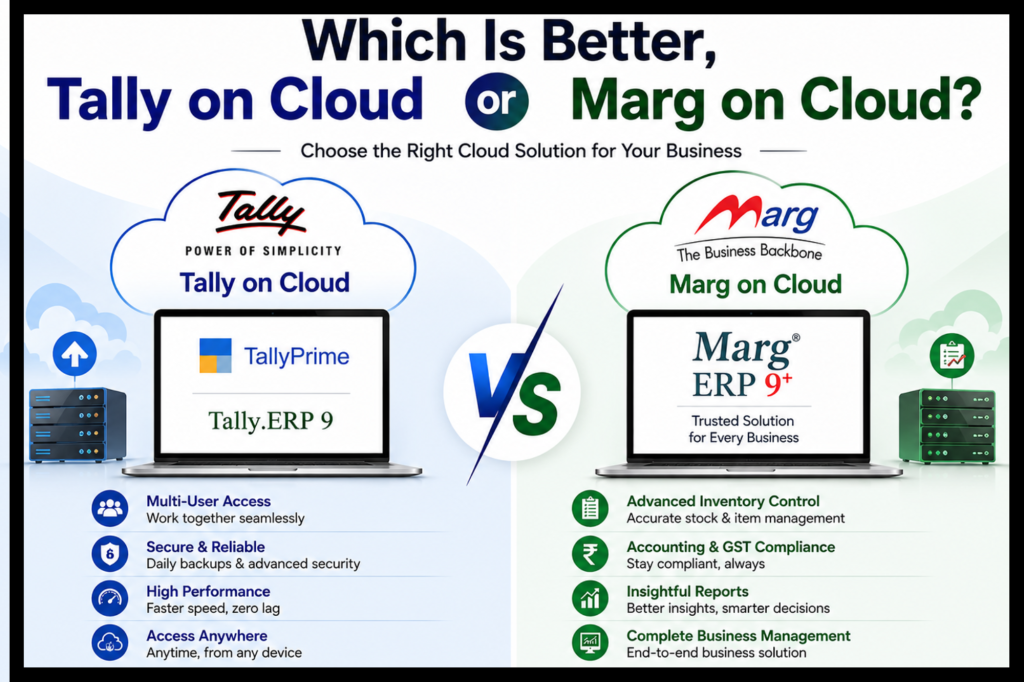
Which Is Better, Tally on Cloud or Marg on Cloud?
Feature | Tally on Cloud | Marg on Cloud |
|---|---|---|
Accounting depth | Strong, industry-standard | Good, inventory-focused |
Multi-user access | Yes | Yes |
Mac compatibility | Yes (via cloud) | Yes (via cloud) |
GST compliance | Extensive | Extensive (incl. e-invoicing, e-way bills) |
Industry focus | Broad; suits general businesses, accountants, CA firms | Specialized pharma, FMCG, retail, distribution |
Inventory management | Standard, good for general use | Advanced batch tracking, expiry, multi-warehouse |
Customization | High | Moderate, industry-specific templates |
Typical cost | Slightly higher | Often lower for pharma/FMCG (bundled features) |
Pricing and Support Quality
Both Marg Cloud and Tally Cloud services offer tiered pricing, but response time and onboarding support vary significantly between providers; always request a demo first.
Data Security, Backup, and Uptime
Before committing, look for suppliers that offer cloud-based automatic Tally backup, encrypted storage, and guaranteed uptime SLAs.
How to Pick the Top Cloud Service Provider for Tally
Key Features to Look For
24/7 technical support
Automatic daily backups
Bank-grade data encryption
Scalable user licenses
Mac and Windows compatibility
Free Trials, Demos, and Free Tally Cloud Options
Before paying, request a Tally Cloud demo or explore Tally on cloud free trial periods to test speed and reliability with your own data.
Why TallyCloudHub is the best cloud server provider in india ?
TallyCloudHub combines transparent tally prime multi user price plans, Mac compatibility, automatic backups, and dedicated onboarding support, making it a strong choice whether you’re a solo consultant or a growing enterprise with branches across cities.
Conclusion
Connecting Tally Prime to another computer no longer means wrestling with routers and cables. Whether you need multi-user access without LAN, a Mac-friendly solution, or a cost-effective alternative to expensive on-premises licensing, cloud hosting is the modern answer. Understanding the tally prime multi user price upfront helps you budget correctly, and choosing a dependable provider like TallyCloudHub ensures your data stays secure, synced, and accessible from anywhere.
Ready to access Tally Prime from any computer, anywhere? Book a free demo with TallyCloudHub today and see how easy multi-user, multi-device access can be.
Frequently Asked Questions
Q1. What is the tally prime multi user price compared to single-user?
Multi-user (Gold) licenses cost more than single-user (Silver) because they allow several people to work on the same data simultaneously. Exact pricing varies by authorized reseller, so it’s best to request a current quote.
Q2. How to use multi-user Tally Prime on multiple computers without a LAN?
Use a cloud hosting service like TallyCloudHub, which hosts your Tally license on a remote server so any authorized computer can connect over the internet instead of a physical network.
Q3. Is Tally Prime available for Mac?
No, Tally Prime doesn’t have a native macOS version. Mac users typically access it through a cloud-hosted Windows environment via a provider offering Tally on cloud services.
Q4. Can I use Tally Prime Silver on two computers?
Not simultaneously. Silver is a single-user license. You can access it from different devices one at a time via cloud hosting, but two people cannot work in it at once without a Gold license.
Q5. What is Tally on cloud and how is it different from Marg on cloud?
Tally on cloud hosts your Tally Prime software on a remote server for anytime, anywhere access. Marg on cloud does the same for Marg ERP software; both offer multi-user access, but differ in accounting depth and inventory features.