
Modern accounting is no longer limited to a single office computer. Business owners, accountants, CA firms, and remote teams increasingly need to work with financial data from different locations and devices. This is where VirtualTally login can provide a practical way to access a hosted Tally environment remotely.
Instead of depending entirely on a Tally installation on one physical computer, a virtual environment can host Tally and allow authorized users to connect to it remotely. Depending on the hosting setup, users can work with Tally from Windows PCs, Macs, laptops, and other supported devices. At the same time, the actual Tally application and company data remain on the hosted system.
For businesses exploring Tally on Cloud, this approach can offer greater flexibility, centralized access, and support for remote and hybrid work.
In this guide, we will explain how VirtualTally login works, how it enables Tally remote access across operating systems, what role a Tally VM plays, and what businesses should consider before choosing a cloud-based Tally setup.
What Is VirtualTally Login?
VirtualTally login is the process of securely connecting to a virtual or cloud-hosted environment where Tally is installed and configured.
Rather than running Tally directly on every device, the software can be hosted on a virtual machine or cloud server. Users then authenticate themselves and access that environment remotely.
In simple terms:
Your device → Secure login → Virtual machine/cloud server → Tally
The device being used mainly acts as the access point. The Tally application and associated company data operate within the hosted environment.
This can be useful for organizations where employees, accountants, consultants, or business owners need Tally access from multiple locations.
How Is This Different From Installing Tally Locally?
With a traditional local installation, Tally is generally installed directly on a particular computer or within an office network.
A cloud-hosted setup works differently:
- Tally is installed on a hosted virtual environment.
- Company data is maintained within that environment.
- Authorized users connect remotely.
- Users can work from different locations.
- Hosting infrastructure can be managed from the center.
- Support can be given to the supported devices even without installing the complete Tally environment on all the machines.
Experience depends upon the hosting provider, the server settings, the Tally version, the network, and the mode of access.
How Does VirtualTally Login Work?
A typical VirtualTally setup follows a straightforward process.
1. Tally Is Hosted on a Virtual Environment
Tally can be installed on a Tally VM, which is essentially a virtual computer running on server infrastructure.
The virtual machine can contain:
- Tally software
- Company data
- Required configurations
- User access settings
- Supporting applications or utilities
The VM behaves much like a dedicated computer, but it runs within a virtualized server environment.
2. Users Receive Authorized Access
Once the environment is configured, authorized users can receive login credentials or access details.
Different users can potentially have different permissions depending on the organization’s requirements.
For instance:
Businessman: See reports and financial information.
Accountant: Create vouchers, ledgers, and reports.
Chartered Accountant/Consultant: Log in to the user account that they have access to according to their permissions.
The above system is more convenient in handling users than the system that maintains different Tally systems on different computers.
3. The User Connects Remotely
The user connects to the hosted environment through an appropriate remote access method.
Once authentication is completed, the user can interact with the hosted desktop or application environment and use Tally.
The user’s laptop or computer does not necessarily need to contain the complete Tally setup locally.
4. Tally Runs Inside the Hosted Environment
The actual Tally application operates on the remote system.
This is an important distinction.
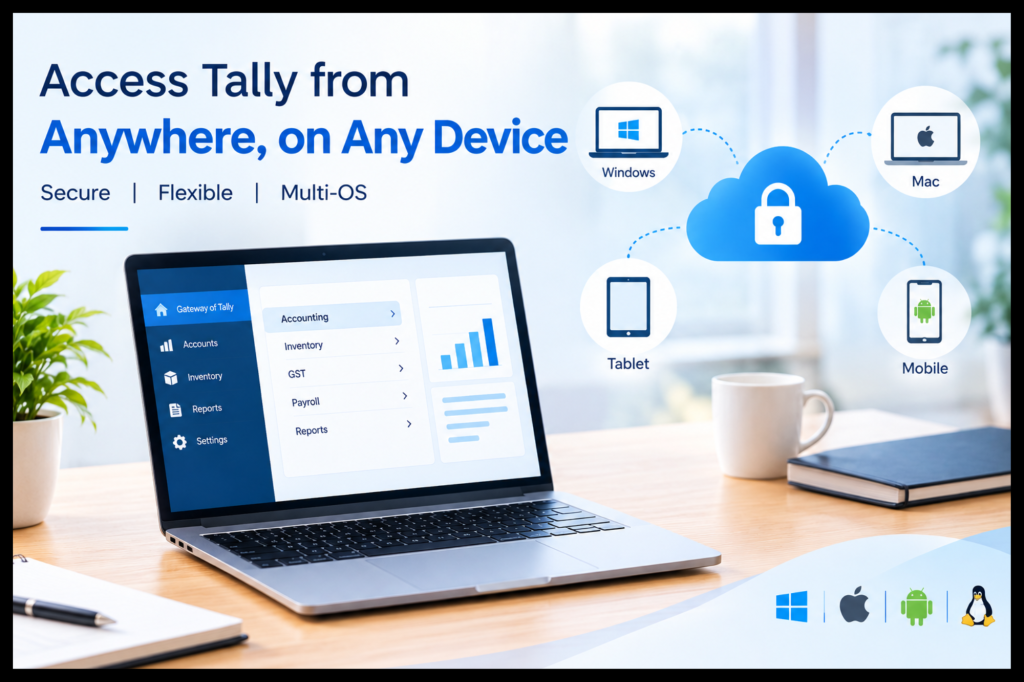
If you are using a Mac, for example, the Mac can serve as the device through which you connect to the hosted Windows environment. Tally itself continues to run within the environment where it has been installed and configured.
Can VirtualTally Login Provide Tally Access on Different Operating Systems?
Yes, one of the major advantages of a virtualized or cloud-hosted environment is that the user’s local operating system does not necessarily have to be the same as the operating system running Tally.
This is especially useful for companies with groups of different devices.
Tally on Windows
Windows users can connect to the hosted Tally environment from their desktop or laptop.
For organizations already using Windows PCs, the transition can be relatively familiar because Tally can continue operating within a Windows-based hosted environment.
Users can therefore avoid creating completely separate Tally installations on every computer.
Tally on Mac
Businesses using Mac devices often face a different requirement because Tally is traditionally associated with Windows environments.
With a suitable cloud or virtual desktop arrangement, a Mac user can remotely connect to a Windows-based environment where Tally is installed.
This means the Mac does not necessarily need to become the platform on which Tally itself runs.
However:
Mac → Remote connection → Virtual environment based on Windows → Tally
This differentiation is essential when considering Tally on Mac. Cloud computing/virtualization offers the advantage of accessing the Windows-based environment of Tally without the necessity for the user to change their existing device.
Other Supported Devices
Depending on the hosting and remote-access technology, users may also be able to connect using other supported computers or devices.
However, businesses should always verify:
- Supported operating systems
- Browser or client requirements
- Screen resolution
- Internet requirements
- Peripheral compatibility
- Printing requirements
- Data export requirements
Access from “any device” should therefore be understood as access from supported devices and operating systems, subject to the technical configuration.
Why Is Tally Cloud Access Useful for Businesses?
Traditional accounting workflows can become complicated when teams are distributed across offices, branches, homes, or client locations.
Tally cloud access can address some of these challenges by centralizing the accounting environment.
Access Tally From Anywhere
A cloud-hosted Tally environment can allow authorized users to work without being physically present in the office where the Tally computer or server is located.
For example, an accountant could work from home while a business owner reviews reports from another location.
The requirement is generally a suitable internet connection and authorized access to the hosted environment.
Support Remote and Hybrid Teams
Remote working has changed how accounting teams collaborate.
With Tally for remote work, users may be able to access the same hosted environment rather than maintaining separate copies of accounting data on individual computers.
This can help create a more centralized workflow.
Reduce Device Dependency
A local Tally setup can create dependency on a particular office computer or network.
A virtual environment shifts the focus from where Tally is physically installed to how authorized users securely access the hosted environment.
This can be particularly useful when employees use different devices.
Tally VM vs Dedicated Server: Which Approach Is Relevant?
A Tally VM and a dedicated server are not exactly the same thing.
A virtual machine refers to a virtual computing environment that runs within the physical server hardware. A dedicated server offers an entire physical server for a specific customer or workload.
Both virtual machines and dedicated servers are capable of offering remote access to Tally, although the
Choice depends on various issues, including:
Number of users
Workload
Performance needs
Scalability
Budget
Information requirement
Management
Tally VM
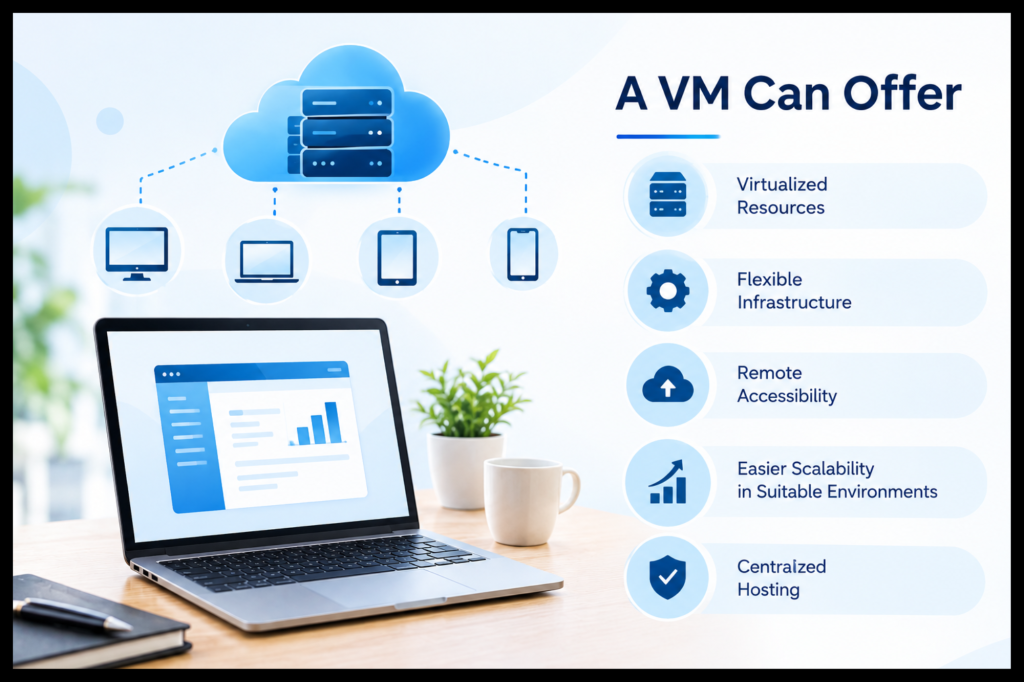
A VM can offer:
- Virtualized resources
- Flexible infrastructure
- Remote accessibility
- Easier scalability in suitable environments
- Centralized hosting
Dedicated Server
A dedicated server would be needed in cases where an organization needs more:
Dedicated resources
Control over server environment
Performance for higher loads
Infrastructure configuration
The best choice should be based on the organization’s actual workload rather than assuming that one infrastructure type is universally better.
Is VirtualTally Login Secure?
Security should be a priority whenever financial information is accessed remotely.
A secure Tally access strategy should involve multiple layers rather than relying only on a username and password.
The important factors are
Authentication
Only users who are authorized should have access to the environment.
Permissions Based on Roles
The users need to have permissions based on their roles.
For example, the one who creates invoices may not necessarily require the same permissions that the administrator has.
Secure Remote Connections
Remote sessions should use appropriate security controls and encrypted communication mechanisms provided by the hosting and access infrastructure.
Data Backup
Businesses should understand how frequently their Tally data is backed up and how backups are retained.
Access Monitoring and Management
It is recommended that firms periodically assess access rights and revoke them once the employee or consultant no longer needs access.
Insider advice: It is a fallacy that cloud hosting makes the accounting information secure by default. It’s the entire system that determines the level of security.
How Does VirtualTally Login Help CA Firms?
CA firms and accounting professionals often manage Tally data for multiple clients.
A centralized cloud-hosted setup can be useful where accountants need to work across different client environments.
For example, a CA firm may have:
- Multiple accountants
- Multiple client companies
- Remote employees
- Consultants
- Partners reviewing reports
- Staff working from different locations
Instead of restricting accounting work to a particular physical office, remote Tally access can allow authorized professionals to connect to the required environment.
This can make cloud-based Tally particularly relevant for firms that prioritize flexibility and centralized management.
However, each client environment should still have appropriate user permissions and data-access controls.
Can Multiple Users Access Tally Through VirtualTally?
Yes, multi-user access can be supported when the hosted environment and Tally configuration are designed for it.
The exact number of users and simultaneous sessions depends on the Tally licensing, server resources, hosting configuration, network performance, and the requirements of the organization.
A business should evaluate:
- Number of concurrent users
- Type of accounting operations
- Company data size
- Reporting workload
- Required server resources
- Internet connectivity
- User permissions
For example, five users performing routine accounting work may have very different requirements from twenty users generating large reports simultaneously.
Therefore, Tally access from multiple devices should be planned around actual usage rather than simply counting registered users.
What Are the Benefits of Tally Cloud Hosting?
A properly configured Tally cloud hosting environment can provide several practical benefits.
1. Centralized Tally Environment
The Tally and company data may be stored in a single environment.
2. Remote Access
Users may access the hosted environment without having to come to the office.
3. Flexible Device Usage
Users may have the flexibility to use the hosted environment on multiple supported devices.
4. Enhanced Hybrid Working Environment
Employees may be able to work from their office, home, or any other place with good connectivity.
5. Centralized Hosting
Firms need not maintain separate environments on various computers but only need to manage a central hosted environment..
6. Use of Remote Access on Mac
Mac users may remotely access the hosted Windows environment for running Tally.
7. Scalability
Depending on the hosting architecture, resources can be adjusted as business requirements change.
What Should Businesses Check Before Choosing a Tally Cloud Server?
Not every cloud server is automatically suitable for Tally.
Before opting for the Tally Cloud Server, the organization needs to consider the following:
Performance
Check CPU, RAM, storage, and other resources based on the expected number of users and workload.
Reliability
Inquire about uptime, infrastructure redundancy, and service continuity.
Backup Strategy
Know:
Backup schedule
Backup duration
Backup recovery process
Backup storage location
Backup restoration process
Security
Ask about authentication, access controls, encryption, server security, and monitoring.
Technical Support
Tally-related issues can involve both the application and the hosting environment. Responsive technical support can therefore be important.
Multi-User Capability
Check if the suggested configuration will be able to support the number of users required.
Device Compatibility
In case your team utilizes Windows computers and Macs, check the access methods supported by the system.
VirtualTally Login Practical Example
Example to Understand VirtualTally Login
We can take an imaginary example where there is a CA firm having one of their accountants in Mumbai, another partner in another city, and a client on his MacBook.
Using the appropriate cloud infrastructure
- Tally is installed on the hosted Windows environment.
- The company data is maintained there.
- Authorized users receive appropriate access.
- The accountant connects remotely from their computer.
- The partner connects from another location.
- The MacBook user connects to the hosted environment through the supported remote-access method.
- All authorized users work with the centrally hosted Tally environment.
The key idea is that the device becomes the access point, while the hosted environment provides the Tally workspace.
What Is the Future of Tally Access? Look like it?
The future of accounting technology is increasingly focused on flexibility, centralized data, remote collaboration, and access across different devices.
This does not necessarily mean that traditional desktop accounting will disappear. Instead, businesses have more options for how their accounting applications are hosted and accessed.
Virtualization and cloud infrastructure can help organizations move beyond the limitations of a single office computer.
For Tally users, this can mean:
- More flexible remote access
- Better support for distributed teams
- Easier access from different devices
- Centralized infrastructure
- Greater operational flexibility
The important factor is choosing a setup that matches the organization’s security, performance, user, and compliance requirements.
Conclusion
The VirtualTally login represents an excellent way to consider contemporary usage of Tally software. Rather than relying on the accounting operations to be performed on a single computer device, organizations are able to take advantage of the virtual or cloud-based environment that can be accessed by authorized users remotely.
This solution might prove very useful for business owners, accountants, CA firms, Tally professionals, Mac users, etc., who require convenient access to Tally. Tally Cloud Hub provides a cloud-based approach that can support this flexible way of accessing Tally.
Be it Tally for Windows, Tally for Mac, or remote multi-user access, the fact that remains constant is that Tally is running in a cloud environment and is accessed securely.
FAQs
1. What is VirtualTally Login?
VirtualTally Login is a way of accessing a virtual or cloud-based environment wherein Tally is installed. This enables the user to access the Tally environment virtually rather than only accessing the local installation of Tally.
2. Can I use Tally on a Mac via VirtualTally?
Yes, depending on the virtual/cloud infrastructure used, a Windows environment running Tally can be accessed from a Mac. It all depends on the type of configuration implemented.
3. Is it possible to access Tally from anywhere?
Access to the Tally software is possible from any place as long as there is an adequate internet connection along with appropriate login credentials.
4. Is VirtualTally login secure?
It could be safe if the environment implements the right measures such as authentication, permissions, secure remote access, backups, monitoring, and server security. Companies need to assess the whole security infrastructure and not just depend on the word cloud.
5. Can multiple users access Tally through the cloud?
Yes, multi-user access can be supported when the Tally license, hosting environment, server resources, and configuration support the required number of simultaneous users.
6. Is a Tally VM the same thing as a dedicated server?
No. A Tally VM is a virtual machine running on physical hardware. In contrast, a dedicated server is a physical server that has been dedicated for use by a specific customer or task.
7. Why does Tally Cloud Hosting prove beneficial for remote workforces?
Tally Cloud Hosting provides a centralized platform that is accessible to authorized staff members remotely. Thus, businesses would not have to limit their accounting tasks to one particular office location only.
8. What should I be mindful about when choosing a cloud server for my Tally?
I should consider issues like performance, reliability, backup policies, security, number of users, technical support, compatibility, scalability, and the Tally hosting experience of the service provider. They will directly affect daily accounting processes.