
When businesses are transitioning from Windows to MacBooks, the topic of accounting tends to pose one critical question: Can Tally for Mac integrate seamlessly within the contemporary workflow? The key factors in the answer will depend upon how TallyPrime will be accessed and how the business will handle its applications, data, users, and remote access needs.The MacBook users have come to expect mobility, security, remote access, and location independence of their environment without having to recreate all their accounting systems. Although TallyPrime has been predominantly used within the Windows ecosystem, there are ways in which Tally accounting on Mac workflow may be built successfully using appropriate access solutions, including the cloud.
To business owners, accountants, chartered accountancy firms, and finance departments, simply utilizing accounting software for Macs is not sufficient. They need to build a workflow in which all accounting data, collaboration, reporting, backup, and remote access work in sync.This guide explores how Tally for Mac can fit into the modern accounting workflow and what MacBook users should consider when selecting their access solution .
What Does Tally for Mac Mean?
“Tally for Mac” is used for referring to TallyPrime being run on a MacBook or any other Apple computer in place of using TallyPrime from a regular Windows system PC.
The critical point here is the difference between TallyPrime itself and the environment that it is running on.
An individual who is using a Mac can use TallyPrime through any suitable Windows environment, remote desktop configuration, virtual machine, or cloud platform infrastructure. On a cloud computing platform, TallyPrime can continue to be run on a compatible Windows server while the MacBook is used as the accessing computer.
It could help include Tally on Mac within an accounting process without having the whole company switch to Tally.
Why MacBook Users Need a Different Approach
A modern accounting workflow may involve:
MacBooks and Windows computers used by different employees
Remote accountants and finance teams
CA firms managing multiple client companies
Cloud-based document sharing
GST and compliance activities
Financial reporting and analysis
Remote approvals
Regular data backups
The accounting system therefore needs to fit into the overall technology environment rather than operate as an isolated application.
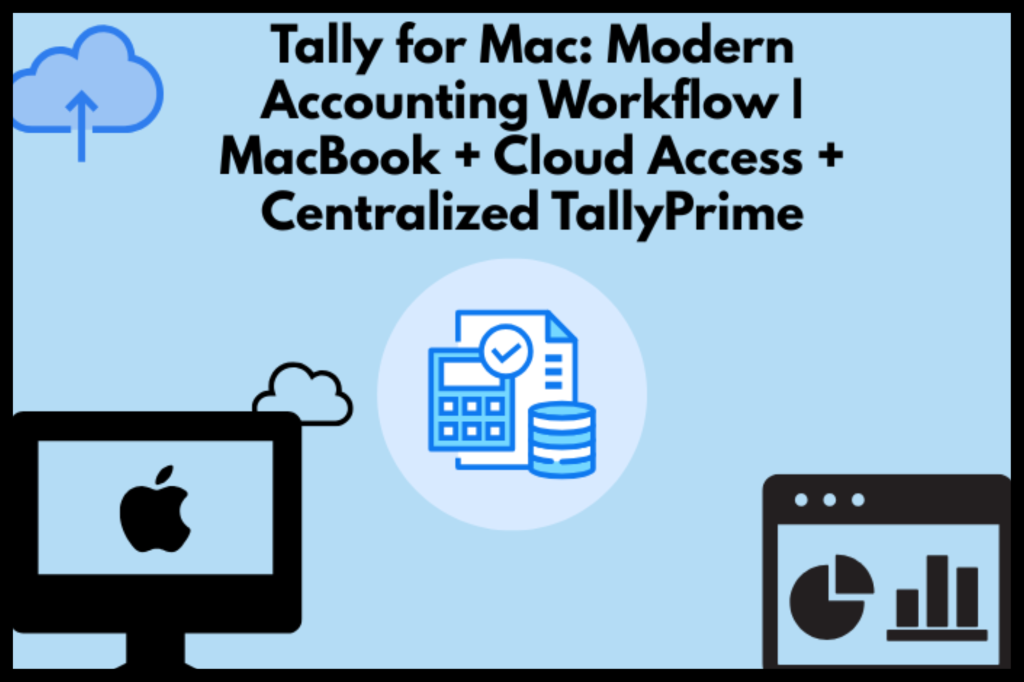
How Can Tally for Mac Be Integrated into the Contemporary Accounting Process?
The best way would be to consider the entire process in separate stages: access, accounting, collaboration, reporting, security, and backups.
1. Access TallyPrime from a MacBook.
The first requirement is reliable access.
For any business making use of MacBooks, an appropriate Windows-enabled access environment or cloud-based environment can be used to access TallyPrime. With a cloud-based configuration, the accounting software and business information can still reside on a centrally maintained server while accessing the environment from remote locations.
This is helpful in instances where employees make use of different operating systems.
For example:
A company may have its finance manager working on a MacBook, an accountant using Windows, and a CA accessing accounts remotely. A centralized Tally environment can provide each authorized user with access without requiring every person to use the same physical computer.
2. Keep Accounting Data Centralized
A modern Mac accounting workflow should reduce unnecessary duplication of accounting data.
Instead of maintaining separate copies on different computers, businesses can use a centralized environment where authorized users work with the relevant company data.
This can help reduce problems such as
Multiple outdated copies of company data
Manual transfer of accounting files
Confusion about the latest version
Dependence on one office computer
Centralization becomes particularly useful for CA firms managing several businesses or teams working from different locations.
3. Support Remote Accounting Operations
Accounting is no longer restricted to a single office.
Business owners may need to review reports while travelling. Accountants may work from home. CA firms may access client information from their offices or during meetings.
A cloud-based TallyPrime Mac workflow can support this type of working model by allowing authorized users to access the accounting environment remotely.
This is where Tally on Cloud becomes relevant.
Instead of trying to make the MacBook itself responsible for hosting the complete accounting environment, the cloud infrastructure can handle hosting while the Mac serves as the user’s access device.
Cloud-base Tally versus Tally Software for Mac
Both the terms are connected but not interchangeable.
Tally on Mac describes the experience of accessing or using TallyPrime from an Apple computer.
Tally on Cloud describes an architecture where TallyPrime and its associated accounting environment are hosted on a remote server or cloud infrastructure and accessed over the internet.
For businesses shifting from Windows to Mac, cloud hosting can provide an alternative way to maintain access to an existing Tally-based workflow.
Why Cloud Access Can Help MacBook Users
A cloud environment can potentially provide:
Remote access
Centralized accounting data
Multi-user access
Controlled user permissions
Centralized backups
Flexible device access
Support for distributed accounting teams
But firms need to review the hosting firm, security measures, back-up process, networking needs, user management, and support prior to transferring their accounting services into the cloud.
Building a Practical Tally Accounting on Mac Workflow
A modern workflow should connect accounting activities rather than treating them as separate tasks.
Step 1: Enter and Maintain Transactions
Accounting activities remain unchanged for accountants, including sales, purchases, receipts, payments, journal entries, and other pertinent activities.
The main aim is to keep the accounting environment accessible and consistent to the authorized users.
Step 2: Managing GST and Compliance Activities
For businesses and professionals performing GST accounting activities, timely availability of correct books is very important.
Centralized workflow will assist accountants in reviewing transactions, reconciling the records, generating relevant reports, and cooperating with the finance department.
Step 3: Review Financial Reports
Business owners do not always need to enter transactions themselves. They may primarily need access to financial information.
Depending on the organization’s workflow, users may review reports such as
Profit and Loss
Balance Sheet
Trial Balance
Cash Flow
Outstanding receivables
Outstanding payables
Stock-related reports
This makes accounting data more useful for decision-making rather than simply record keeping.
Step 4: Collaborate With Accountants and CA Firms
A business may have multiple people involved in accounting.
For example, the business owner may use a MacBook, the accountant may use Windows, and the external CA may work remotely.
A properly configured centralized Tally environment can help these users work within the same accounting ecosystem, subject to their access permissions and the capabilities of the chosen setup.
What Should Businesses Check Before Choosing Tally for Mac?
Choosing an access method should involve more than asking whether TallyPrime can be accessed from a MacBook.
Businesses should evaluate the complete workflow.
Operating Environment
Determine how TallyPrime will be made available to Mac users. Options can include compatible Windows environments, virtualized setups, remote access, or cloud hosting.
Internet Dependency
Internet connections usually form the foundation of cloud computing. This factor must be looked into carefully since there can be interruptions in the internet connection.
Security
Accounting data contains sensitive financial information. Check whether the solution provides appropriate:
User authentication
Access controls
Data protection
Secure remote access
Backup mechanisms
Monitoring and administrative controls
Back-up and Recovery
Find out how often backups are taken, where these are kept, for how long, and how recovery from loss of data takes place in case of any problem.
Multi-User Requirements
If several accountants or employees need access, confirm that the selected setup supports the required number of users and the organization’s working model.
Tally for MacBook: A Practical Example
Consider a growing consultancy that has moved most of its employees from Windows laptops to MacBooks.
The finance team still depends on TallyPrime for accounting and reporting.
Rather than revamping the whole accounting procedure of the business, the firm can create an environment where TallyPrime is available in the right kind of Windows-based or cloud-based setup.
This might entail the following steps:
MacBook → Secure Remote Access → Centralized Tally Environment → Accounting Data → Reports & Business Decisions
The benefit of this approach is that the business can modernize its devices without necessarily rebuilding its entire accounting process around a different accounting platform.
How Tally for Mac Supports Different Users
For Business Owners
MacBook-based business owners can access accounting information without being tied to a particular office computer, subject to the chosen access arrangement.
For Accountants
Accountants can continue their established TallyPrime processes while using a MacBook as their working device when supported by the access environment.
For CA Firms
CA firms can benefit from centralized access when multiple team members need to work with client accounting environments remotely.
For Finance Professionals
Finance professionals can combine accounting access with their broader digital workflow, including communication, reporting, spreadsheets, and document management.
For Businesses Moving From Windows to Mac
A cloud or remote-access strategy can provide a transition path that allows businesses to adopt MacBooks without immediately abandoning established Tally-based accounting processes.
Best Practices for a Modern TallyPrime Mac Workflow
Some strategies to keep in mind include:
Centralization of accounting data when possible.
Role-based access for various users.
Regular backups and recovery procedures.
Secure remote connections.
Keep TallyPrime and related infrastructure maintained according to applicable requirements.
Use reliable internet connectivity for cloud-based workflows.
Review user access regularly, especially when employees or external professionals change roles.
Document the accounting workflow so teams know where and how accounting data is accessed.
Choose a hosting provider carefully rather than selecting a service based only on price.
Is Tally on macOS Suitable for Modern Businesses?
The suitability depends on the business’s requirements and the way TallyPrime is accessed.
For organizations already dependent on TallyPrime, moving to MacBooks does not necessarily mean abandoning the accounting system. With the right access architecture, the user should be able to use the MacBook as his main system while having TallyPrime accessible via an appropriate Windows or cloud environment.
This is because it is important to look at the entire accounting process in its entirety, including software access and storage issues.
Conclusion
An accounting system in the modern era need not depend upon the type of computer being used by all the people in it. When a business uses MacBooks, then Tally for Mac may be viewed as just one aspect of a more comprehensive technology framework that integrates accounting, remote access, collaboration, reporting, security, and data management.
Cloud-based access can offer a viable solution to many businesses looking for ways to link their MacBook users to the centralized TallyPrime system. But the appropriate framework will vary according to the business’s needs and its users.
By focusing on the complete workflow rather than the device alone, businesses can create a more flexible accounting environment. Tally Cloud Hub can be considered as part of this broader conversation when businesses are evaluating cloud-based Tally access for MacBook users.
Frequently Asked Questions
1. Can TallyPrime be installed on a MacBook?
Yes, TallyPrime can be used by MacBook users through suitable virtualization techniques or a Windows-based system depending on the needs of the business organization.
2. Is TallyPrime available natively for macOS?
TallyPrime’s supported operating environment should be checked against the current official product documentation. Mac users can alternatively access a Windows-based Tally environment through suitable technical solutions.
3. What is Tally on Cloud?
Tally on Cloud generally refers to hosting or making TallyPrime available through a remotely hosted computing environment. Users can access that environment through supported devices and secure remote connections.
4. Can accountants use Tally from a MacBook?
Yes. Accountants can use a MacBook to access a suitable TallyPrime environment. A cloud or remote-access setup can be particularly useful when accountants need to work from multiple locations.
5. Is Tally on Cloud useful for CA firms?
It can serve CA firms that require centralized as well as remote access to the accounting environment for its employees and even clients. It is advisable that the firm take into consideration various factors before opting for any such service.
6. Can Tally on Cloud support remote accounting?
The cloud-based system is specifically meant to offer accessibility remotely to the cloud system, depending on internet connectivity and the capability of the service provider.
7. What should I check before choosing a Tally cloud provider?
Review security measures, backup policies, infrastructure reliability, user access controls, support, scalability, remote-access performance, data handling practices, and overall service terms.
8. Does moving to a Mac mean changing my accounting software?
Not necessarily. Businesses can explore suitable access environments that allow their existing TallyPrime workflow to continue while employees use MacBooks as their primary devices.