Is TallyPrime on Cloud the Key to a Seamless Transition to Cloud Accounting?

Is TallyPrime on Cloud the Key to a Seamless Transition to Cloud Accounting?

Is TallyPrime on Cloud the Key to a Seamless Transition to Cloud Accounting?

The world of accounting is rapidly evolving, and TallyPrime on cloud technology is at the center of this transformation. Businesses that once relied solely on desktop systems and on-premise servers are now embracing cloud-based accounting solutions to gain flexibility, scalability, and efficiency.

 In this shifting landscape, TallyPrime on Cloud is emerging as a powerful option for organizations that want to move to cloud accounting without abandoning the trusted Tally interface they know so well.

But the real question is: Is TallyPrime on Cloud truly the key to a seamless transition to cloud accounting? To answer that, we need to understand what “seamless transition” really means and how TallyPrime on Cloud addresses both the technical and practical challenges of moving to the cloud.

Understanding the Need for Cloud Accounting

Traditional accounting setups typically involve:

  1. A dedicated computer or local server to run Tally

2. Limited access to data from outside the office

3. Manual data backups

4. Constant risk of hardware failure

5. Difficulty in multi-user collaboration

While on-premise systems have served businesses well for years, modern work environments demand more flexibility.TallyPrime on Cloud Remote work, multi-location businesses, real-time collaboration, and the need for data security are now standard expectations.

What is TallyPrime on Cloud?

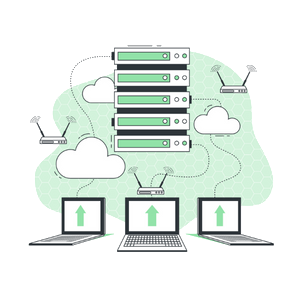
TallyPrime on Cloud is the cloud-hosted version of the traditional TallyPrime software. Instead of installing and running the software on a local system or server, it is hosted on a cloud platform and accessed via the internet from anywhere, at any time.

You still use the familiar Tally interface, reports, and functions—but behind the scenes, your data and software are safely stored and managed in a professional data center.

  1. No physical server is required
  2. No complicated networking is needed
  3. No manual backup process
  4. No dependency on a single office location

In simple words, you get the same Tally you know, but with the power, safety, and flexibility of the cloud.

Is TallyPrime on Cloud the Key to a Seamless Transition to Cloud Accounting?

Why Businesses Find the Transition to TallyPrime on Cloud Seamless

1. Familiar Interface, No Learning Curve

One of the biggest fears when switching systems is having to relearn everything. With TallyPrime on Cloud, this problem almost disappears because the interface remains exactly the same. Your team continues working in the same environment, with the same menus, commands, and reports.

The only difference is where the software is running—not how it works. This familiarity significantly reduces training time and minimizes resistance to change.

2. TallyPrime on cloud Easy Data Migration

A seamless transition depends largely on how smoothly your existing data can be moved. With TallyPrime on Cloud, migration is simple:

  1. A backup of your current Tally data is taken
  2. The data is uploaded securely to the cloud server
  3. It is restored on the hosted Tally environment
  4. Testing is done to ensure complete data accuracy

There is no need for complex conversions or format changes. Your charts of accounts, ledgers, vouchers, and reports remain intact, exactly as they were. This process ensures data continuity without interrupting your business operations.

3. Work from Anywhere, Anytime

One of the most powerful benefits of moving to cloud accounting is remote access. With TallyPrime on Cloud, you can:

  1. Access Tally from office, home, or while traveling
  2. Use a laptop, desktop, or even a tablet
  3. Log in securely from any location with internet access
  4. Serve clients and make entries without being physically present in the office

This is especially useful for:

  1. Business owners who travel frequently
  2. Accountants working from home
  3. Companies with multiple branches
  4. CA firms handling client accounts remotely

This level of accessibility is nearly impossible with a traditional on-premise setup.

4. Multi-User Collaboration

In a shared local system, multiple users often face problems due to network issues, system locks, or slow performance. On a cloud-hosted TallyPrime, the experience is far more refined. Multiple users can:

  1. View updated data in real-time
  2. Generate and share reports instantly
  3. Maintain control through user-level permissions

5. Automated Backup and Data Safety

In a local setup, data backup is often overlooked or forgotten. This creates serious risk in case of system crashes, virus attacks, accidental deletion, or natural disasters.

TallyPrime on Cloud solves this problem with:

  1. Automatic daily backups
  2. Data encryption
  3. Secure data centers
  4. Disaster recovery options

Even if your computer fails, your data remains safe in the cloud and can be restored instantly. This guarantee of safety gives business owners peace of mind and makes the transition to cloud accounting far less risky.

6. Scalability as Your Business Grows

As your business expands, your accounting needs also increase. With a local system, growth means:

  1. Buying better hardware
  2. Setting up additional servers
  3. Managing more IT maintenance
  4. Spending more money on upgrades

In a cloud environment, scaling is easy and efficient.

  1. Add more users as needed
  2. Increase server capacity instantly
  3. Upgrade your plan without buying new hardware
  4. Reduce your plan when demand is low

This flexibility makes TallyPrime on Cloud a long-term solution, not just a short-term change.

7. Reduced IT Costs and Maintenance

Traditional on-premise systems require:

  1. Server purchase
  2. Licensing
  3. Maintenance
  4. Electricity
  5. Cooling
  6. IT staff

With TallyPrime on Cloud service provider, all infrastructure is managed by the service provider. You only pay for the plan you choose (monthly or yearly). This converts a large upfront investment into a smaller, predictable operating expense. Over time, this can result in significant cost savings.

Is TallyPrime on Cloud the Key to a Seamless Transition to Cloud Accounting?

The Role of TallyPrime on Cloud Providers in a Seamless Shift

The success of your cloud transition also depends heavily on your cloud hosting partner. Providers like Tallycloudhub offer specialized hosting solutions for Tally users, including: Optimized servers for Tally performance

  1. Secure access control
  2. Tally Multi-user plans for different team sizes
  3. End-to-end migration support
  4. Technical assistance and troubleshooting

Is TallyPrime on Cloud Really the Key to Seamless Transition?

When you bring everything together, the answer is clear: Yes, for most businesses, it absolutely is.

  1. Familiar working environment
  2. Smooth data migration
  3. Anywhere, anytime access
  4. Collaboration for multiple users
  5. High-level security and backups
  6. Scalability for future growth
  7. Reduced infrastructure costs

These features remove the friction that usually comes with major technology changes. Instead of a stressful shift, businesses experience a smooth upgrade—from traditional accounting to a modern, cloud-powered way of working.

Conclusion

Businesses that continue depending only on local systems may find themselves limited in flexibility, speed, and security. By adopting TallyPrime on Cloud, you are not replacing Tally; you are simply unlocking its full potential in a modern, connected environment. For companies like Tallycloudhub looking a simple, powerful, and risk-free path to cloud accounting, TallyPrime on Cloud truly acts as the key to a seamless transition.

Frequently Asked Questions

Q1. Do I need to buy a new version of Tally for the cloud?

No. You continue using your existing TallyPrime license while the software is hosted on a cloud server.

Q2. Will my old data be fully transferred to the cloud?

Yes. Your complete data—including reports, ledgers, and vouchers can be migrated securely without any loss.

Q3. Can multiple branch offices access one company file at the same time?

Yes. Multi-user access is one of the biggest benefits of Tally on Cloud.

Q4. Who manages updates, backups, and server maintenance?

Your cloud hosting provider takes care of these technical tasks so that you can focus entirely on your accounting and business operations.

Q5. Is TallyPrime on Cloud suitable for small businesses?

Yes, it is ideal for both small and large businesses. Single-user and multi-user plans allow you to choose based on your needs and budget.

Saurabh Pal
No Comments

Sorry, the comment form is closed at this time.

Our cloud Experts Will help you get the best tally on cloud solution
Call Now Button